ASSESSMENT / APPLY THE CAPABILITY
A1 — The Sealed Workshop
An individual practical trial combining observation, spatial reasoning and mechanical diagnosis, with a justified choice of memory support.
IN PERSON (PREFERRED) · ONLINE AVAILABLE
What this assessment develops
Select and combine observation, spatial reasoning and mechanism diagnosis; explain a changed-condition attempt and the limits of the model.
The online environment also supports preparation and revision between classes. Campus packs specify the proposed teaching setup; physical apparatus has not been validated by this website prototype.
How to participate
In person is the preferred route. Use the campus teaching pack in the facilitated session, with the supplied apparatus or paper models and your own individual predictions and tests. Keep your station sheets, predictions, revisions, receiver acknowledgements and explanation. These form the practical record; an additional browser run is not required.
Online, if you cannot attend: use the equivalent activity and control instructions below. The 3D environment supports the same reasoning, rehearsals and evidence requirements. Both routes use this brief’s deliverables and rubric. Label measured, paper-model and simulated results accurately.
Online control guide: complete an individual workshop trial
Your task: investigate why a model carriage cannot make a justified transfer. Decide what to inspect and which test would distinguish a wrong ratio, an orientation mistake or a blocked mechanism. This combines Weeks 1–4. Notes are permitted; forced memorisation is not a gate.
- Watch the alternate worked example for the method, if needed. Its arrangement and required output differ from this task. Declare that assistance.
- Open Enter assessment trial, select a new Baseline trial and inspect the mission console. Read the inventory, map and required movement. Write one prediction and explain which observation would contradict it before manipulating equipment.
- Choose your own investigation order. Observer / Navigator owns inspection and map controls; Systems Specialist owns the gear, holding brake and crank. Read each control’s result. Choose a follower using the published ratio model; the instructions do not prescribe your configuration.
- Once the three required conditions are supported, visit Dispatch. Release and collect the case, use the marked orientation checkpoints and deliver it. Select Finish workshop trial, then Export assessment record.
- Add the detailed observation, connector and mechanism records identified below. Include a changed-condition attempt and a comparison of recall with reliable notes: explain which support suits this task rather than treating memorisation as superior.
- Assemble your causal model, explanation and attribution after the practical work.
You are finished when: the workshop trial has a debrief, you have kept the practical and transfer evidence, and every item under What you hand over is present. A successful trial alone is not a complete assessment.
Playing in fullscreen: choose Fullscreen mission. The Mission & controls panel keeps objectives, roles, area buttons and equipment controls with the scene. Scroll over the scene to zoom. The cursor starts free: click and drag to turn, or scroll and choose options in the panel. Press X to lock the cursor for mouse-look; press X again (or Tab) to free it. Esc or Exit fullscreen returns to the page. Write your assessment explanation after the practical run.
The brief
Work individually in the Sealed Workshop. An archive carriage must be prepared for a fictional transfer. Choose inspections and tests in the browser trial, interpret the map, prepare the geared cradle and justify the release before transporting the case. Your lab records show the more detailed observation classification, connector positioning and mechanism checks. The context combines skills you have already practised.
The trial is playable from this page. You can inspect instructions and practise before recording an attempt. Use the campus trial pack for the equivalent tabletop route.
What you must demonstrate
- Separate visible scene details from claims and inferred causes.
- Compare deliberate recall with an external record and justify which information support the task needs.
- Fit a connector using labelled world directions and a stated level.
- Select and test a gear configuration while checking the interlock, cam and spring.
- Apply at least one capability after a published condition changes.
The workshop’s name does not imply a real lock task. Its carriage uses the purpose-built Week 4 mechanism.
What you hand over
Where each submission item comes from
Assemble one labelled bundle using the assessment template. Reuse the relevant records you made in the labs; a record can support more than one requirement.
| Submission item | Where to get it and what to include |
|---|---|
| Completed workshop record | At Dispatch, finish the trial and select Export assessment record. This records scene inspection, optional recall, map orientation and the gear/brake test and the performed release, collection, three route checkpoints and receiving handover. Campus students use the campus trial event record. |
| Detailed skill and transfer evidence | Keep your Lab 2 comparison of information supports alongside your Lab 1 statement classifications, Lab 3 connector directions and level, and Lab 4 interlock, cam and spring checks. Record each relevant attempt in the skills passport, then Export learning record; equivalent completed campus worksheets also work. Include at least one changed-condition attempt from Labs 1–4 and label its phase. |
| Causal model | Draw or write your own labelled chain linking input, gear, cam, spring, interlock and output, using the Week 4 rules and your observations. Show what each part changes and what can block movement. |
| 350–500-word account | Write your own explanation of two consequential decisions and one changed-situation response. Include one failed prediction or limitation and point to the record that revealed it. |
| Attribution and assistance statement | Name any collaborators in permitted preparation, sources, hints, worked examples or AI assistance you used, and explain what remained your own work. |
The browser trial has three required skill objectives followed by a performed release and delivery. Recall is optional; the Week 2 record supports your judgement about information aids. The statement-classification form, connector height controls and adjustable cam/spring are in the linked labs. Their saved records provide those parts of the assessment evidence.
Include the configuration and attempt date. Diagram labels, source references and the event trace are outside the word guidance. A trial ending is evidence to analyse, not the academic mark.
Suggested account structure
Name the intended result. Quote the observation that shaped the first decision. Explain the mechanism prediction before describing the result. Identify what changed in the transfer task and why the old answer was no longer sufficient.
A useful explanation is specific. In the separate Week 4 demonstration: ‘With an eighteen-tooth driver, I selected thirty driven teeth because five input turns must produce three opposite output turns: 18 ÷ 30 × 5 = 3.’ Use your own assigned measurements and calculation. ‘I clicked until it worked’ does not establish the same understanding.
Independent work and feedback
You may discuss published rules before the trial. Your practical record, model and explanation must be your own. Hints are allowed when declared; concealing assistance weakens traceability.
Feedback is scheduled within seven days of the deadline. Use it when taking responsibility for a different system in A2.
Criterion-specific performance standards
Demonstrated skill — 40%
- Outstanding: Shows accurate observation, spatial transformation and causal mechanism use, with a justified choice of information aid.
- Competent: Demonstrates the required capabilities and explains the information aid with minor gaps or recoverable errors.
- Developing: Some capabilities are visible, while others depend on unexplained guesses.
- Insufficient: Major capabilities are absent or essential supplied rules are not understood.
Diagnosis — 25%
- Outstanding: Uses discriminating observations, changes one relevant variable and verifies the repair.
- Competent: Identifies a plausible fault and supplies a reasonable verification.
- Developing: Reaches a working state through trial and error with weak causal explanation.
- Insufficient: No supported fault diagnosis or verification.
Transfer — 25%
- Outstanding: Adapts the learned principles to the unfamiliar arrangement and explains changed dependencies.
- Competent: Completes the changed task with a sound but limited account.
- Developing: Repeats a familiar sequence despite changed conditions.
- Insufficient: No credible attempt to transfer the skill.
Clarity — 10%
- Outstanding: A concise account links every consequential claim to a readable trace or model and declares assistance.
- Competent: The account is understandable and the main evidence is identifiable.
- Developing: Evidence is difficult to follow or claims are only loosely connected.
- Insufficient: Missing account, unusable evidence or unclear authorship.
Format, export and access
Use the downloadable template, retain editable source and export a readable record. The website provides downloads and local practice; it does not submit to an institutional system. The browser and campus routes assess the same concepts and problem-solving outcomes. Neither automatically certifies physical dexterity.
All due times use 17:00 Canberra time on the published date. Policies and support explain attribution, accessible alternatives, contribution disputes, saving and extensions.
How it is marked
| Criterion | Weight |
|---|---|
| Demonstrated skill | 40% |
| Diagnosis | 25% |
| Transfer | 25% |
| Clarity | 10% |
PLAYABLE ASSESSMENT
The Sealed Workshop
Investigate an unfamiliar workshop. Select inspections, predict a useful test and explain a supported release; use notes or recall as appropriate.
Your operation: inspect the mission console to discover the problem. Explore the labelled areas, use their equipment and test your reasoning. A verified solution changes what the field console can do. Then perform the release, transmission or support handover and finish at the receiving point. Walk or tap the floor in 3D; the equivalent field buttons work with keyboard and touch. Keep full screen open throughout.
Scene guide · people, evidence and object placement
Who is in the Sealed Workshop
The individual assessment trial combines independent observation, orientation and mechanism diagnosis. Recall is an optional information aid.
- Your part
- You control the student avatar. The selected crew role determines your available responsibilities and tools; changing roles does not introduce another person into the room.
- Your instructor
- Mara stands in the marked teaching bay outside the investigation area. She guides the exercise. Her presence, appearance and idle gestures are not clues about what happened in the case.
- People in this scenario
- You are the student. Observer / Navigator and Systems Specialist are responsibilities you select to access their tools, not extra people. Mara is the teaching guide.
- What counts as evidence
- Use the arrival inventory and manifest, the labelled north arrow and the cradle's gear and brake state. Background characters are not additional inventory items.
- Why the objects are here
- The arrival objects form an inspection station; the connector plan and recovery cradle are labelled teaching models. Their states, not the surrounding furniture, determine trial checks.
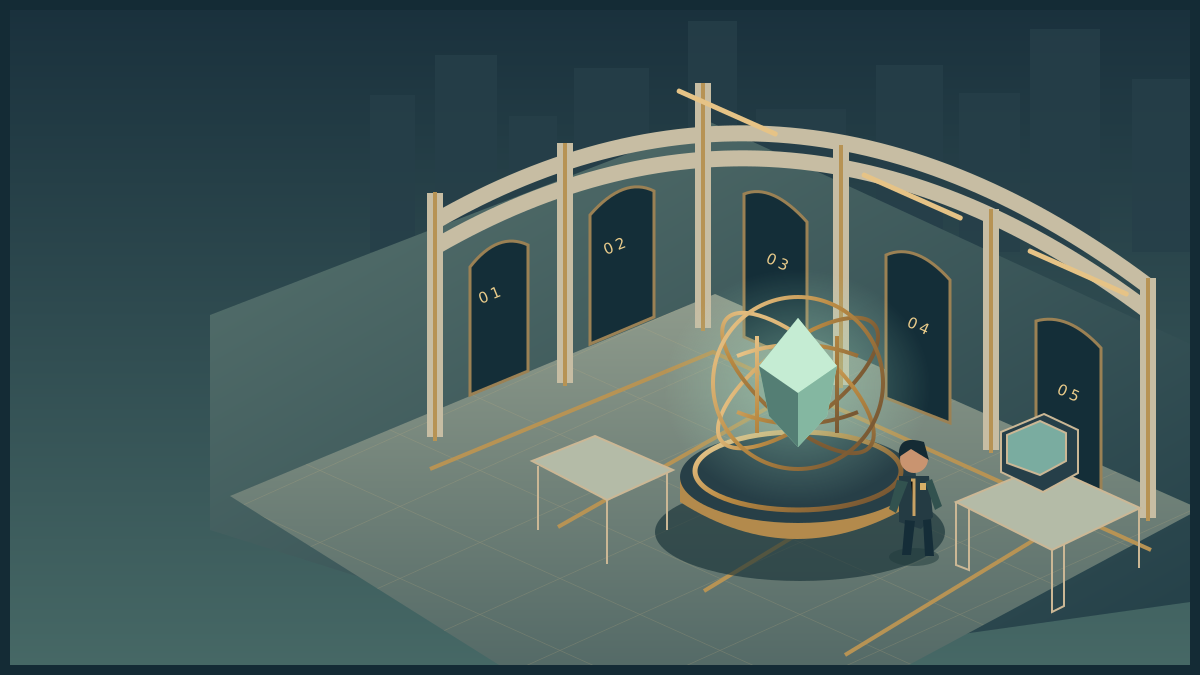
Meridian Station
Explore the room. Inspect its instruments. Discover the obstacle, use your skills and complete the operation.
Loads on request · all equipment also has accessible controls belowHow to move, inspect and complete the activity
Use WASD or arrow keys to walk. Press E near an instrument to examine it. Inspect means read its details; Use equipment performs the action named in its status message. The task controls let you choose exact settings and test a solution. Once verified, use the mission station to put it into effect, collect the resulting evidence or cargo, follow its checkpoints and complete the handover at the receiving station.
Scroll over the scene or use Zoom + / Zoom − for a closer or wider view. Click and drag to turn whenever the cursor is free. Choose Fullscreen mission to keep the scene, mission instructions and all task controls together. Fullscreen starts with a free cursor so you can scroll the panel and choose options. Press X or Lock cursor (X) to turn by moving the mouse. Press X again to free the cursor and return to click-and-drag turning. Tab also frees the cursor. The X shortcut stays inactive while typing or choosing a form value. Press Escape or Exit fullscreen to return to the page. On touchscreens, drag to look and use the zoom buttons. If your browser cannot enter native fullscreen, the mission expands to fill its window.
The activity below also works without 3D. Follow its objective and feedback, then save your record. Walking around the scene is optional and does not complete the lab by itself. The campus worksheet provides a printable alternative.
ASSESSMENT / PRACTICAL TRIAL
Your mission
Investigate the scene, reconstruct its transport orientation and test a model that releases the cradle. Recall is optional; reliable notes are allowed. Then finish the trial at Dispatch.
The trial is ready to play. Your actions save locally as you go. Solo practice allows role switching; pairs and teams can share a screen and rotate control.
DO THIS NEXT
Inspect the mission console
The case is trapped behind a jammed handling cradle. Its inventory and room map must be checked before the release can be trusted. Inspect it before beginning the equipment work.
Done when the mission console records your inspection and reveals the equipment needed.
FIELD OPERATION · Briefing
The sealed dispatch
Release the workshop case and take it to the receiving point.
The case is trapped behind a jammed handling cradle. Its inventory and room map must be checked before the release can be trusted.
Inspect the mission station to begin your investigation.
Nothing collected.
Mission actions become available when the activity loads.
Mission record and accessible controls
These controls perform the same actions as the marked stations in the scene. Use them with a keyboard or touch, or when graphics are unavailable. Equipment tests establish whether your intervention is supported. The final handover records a mission outcome; your explanation is assessed separately.
- No mission actions yet.
Observer / Navigator briefing
The arrival manifest names a bronze lens, a blue spool and a white tile, in that order. North on the workshop plan is rotated one quarter-turn clockwise from the entrance. The upper passage has the shortest route; the service passage is independent of the lift.
Read all role packsRoom controls and feedback
Your saved mission is loading. The instructions and role packs are available below.
Use Observer / Navigator for all three tasks in this room.
OBSERVATION · MEMORY · SPATIAL REASONING
The room is your first instrument.
Inspect the inventory and source records needed for your claim. Notes remain available. Recall is optional; explain when it helps and when a written record is more dependable. Transport planning needs the map; stationary outcomes do not.
Use Systems Specialist to change gears, release the brake and turn the crank.
MECHANICAL DIAGNOSIS
The recovery cradle.
A twelve-tooth input gear drives the cam. The cradle requires half-speed output in the opposite direction. Inspect the interlock before applying another turn.
Verify the archive profile in the Control room before testing the final cradle.
Use Systems Specialist. Measure the original fault before replacing it.
ELECTRONICS · MEASUREMENT
A complete path.
The training supply is 6 V. Power flows through the fuse, switch, lamp and return. Find the break before replacing anything.
Use Investigator for the archive comparison and permission repair.
DIGITAL INVESTIGATION · PERMISSIONS
Which copy can you justify?
Fictional application: permission defect
Observer/read is allowed. Technician/service is allowed. Registrar/certify is allowed. Compare that mandate with the installed entries: observer/read ALLOW; observer/certify ALLOW; technician/service ALLOW; registrar/certify ALLOW. Derive which change is justified.
Use Coordinator for agreement and handoff; switch to Observer / Navigator for the route.
COMMUNICATION · NEGOTIATION · NAVIGATION
An agreement that can be acted on.
“Preserve the original. Tell me who receives the archive. Then we can agree a recovery.”— Meridian custodian
Route model
Upper and lift routes depend on the lift supply. The service passage is independent and includes two marked sensor pauses. Consult the scenario bulletin before committing.
Optional planning notes and preserved versions
Use Coordinator to preserve your plan versions. Any role can finish once the required objectives are met.
PLANNING · ADAPTATION · DEFENCE
Keep the decisions, including the ones you changed.
Record an original plan before your revision. A revision should explain a new observation, a tested assumption or a changed condition. Earlier versions remain intact. A changed approach requires a new version; name why its checks are needed, which can be omitted and what remains unresolved.
Complete the trial record
These buttons record a completed operation; they cannot perform it for you. Finish the field handover first. No ending is an academic grade.
AFTER ACTION
Export the trial record. Prepare your causal model, 350–500-word explanation, one failed prediction or limitation, and attribution using the assessment brief.
Now explain your observations and decisions using the exported action record. Compare a different scenario: which skill transferred, which assumption changed, and what remains uncertain?
Action record and previous runs
Four roles. One shared operation.
Use one browser, share a screen or rotate control. Solo students switch roles. Local role selections record practice responsibility, not verified identity.
Observer / Navigator
The arrival manifest names a bronze lens, a blue spool and a white tile, in that order. North on the workshop plan is rotated one quarter-turn clockwise from the entrance. The upper passage has the shortest route; the service passage is independent of the lift.
Scene inventory · Route overlay · Orientation board
Systems Specialist
The archive cradle needs half-speed output. A 12-tooth driver and three candidate follower gears are available. Check the output ratio and holding conditions; choose a test before replacing a component. The service supply is 6 V through fuse, switch, load and return. The compact model supplies one combined source-and-fuse check; retain it before replacement and verify the load. Independent selection among diagnostic tests belongs to the Lab 5 evidence.
Cutaway mechanism · Voltmeter · Service diagram
Investigator
A copy is eligible only when its recorded hash matches the signed source and its sequence is complete. Access policy: observers read, technicians service, registrars certify. In the conflicting scenario a later signed source replaces the early checksum.
Replica records · Signed source · Permission test
Coordinator
The custodian requires preservation of the original and a named handover recipient. A useful handoff states the item, destination and required condition. Team members can decline a role; switch deliberately and record contribution.
Custodian council · Handoff composer · Plan versions
Static mission worksheet and governing rules
Use the assessment’s campus pack for a complete paper route. Record your objective, inspect the supplied inventory, compare sources and predict the result of each test before acting. Keep observations separate from interpretations. Notes are permitted; memorisation is optional.
The workshop’s driver has twelve teeth. Output turns = driver teeth ÷ follower teeth × input turns, with the opposite direction. The holding brake blocks motion. The series supply connects source, fuse, switch, load and return; measurements distinguish a broken path from a mistaken equipment assumption. Isolate the supply before replacement.
A complete archive must match the current signed source. A later timestamp does not establish authority. The handling mandate requires preservation of the original and a named responsible recipient. The permission mandate permits observer/read, technician/service and registrar/certify; compare installed entries against it. The receiving desk accepts a verified archive at Dispatch after its integrity check.
A1 requires a supported workshop release with orientation and a tested half-speed model. A2 requires diagnosed transmission power, a justified copy, correct permission and a receiver’s exact read-back. The assessment briefs identify supporting lab records and the independent written account.
Before filing an outcome, perform its release, transmission or support action and handover. Retain the action record, initial/revised plan, scope rationale and limitations. No ending supplies an academic grade.
YOUR SKILLS PASSPORT
Keep what you learn.
Practice stays in this browser. Export it to take your work with you.
Which save or export should I use?
- Record attempt in skills passport on a lab keeps that phase's actions and your explanation. Save it before switching to a different phase.
- Export backup JSON downloads a backup you can bring back with Restore backup.
- Export learning record creates a readable account for your portfolio. Print record prepares the same kind of evidence for printing.
- Export assessment record inside a mission keeps that trial's decisions and debrief. Keep your written assessment explanation with it.
These controls keep your work; they do not submit it to an institution. Export a backup before changing browser, clearing browser data or resetting the passport.
Preparing your saved progress…
SLOP UNIVERSITY · THE ACADEMY OF IMPOSSIBLE SKILLS
An original fictional course. Progress records practice, not academic certification.