LAB / WEEK 04
Understand the Mechanism
Distinguish mechanism faults using selected inspections, predict motion and verify a targeted repair.
IN PERSON (PREFERRED) · ONLINE AVAILABLE
What you will learn in this lab
Distinguish mechanism faults using selected inspections, predict motion and verify a targeted repair.
Keep this evidence: mechanism diagnosis. Later use: A1 combines mechanism diagnosis with observation and spatial modelling. Physical recovery and stabilisation can need a support mechanism; digital recovery need not repeat an unrelated cradle exercise.
The online environment also supports preparation and revision between classes. Campus packs specify the proposed teaching setup; physical apparatus has not been validated by this website prototype.
For online participation and revision: follow the Lab mission checklist and named controls below. Complete the practical outcome named for this week. Perform an intervention or receiving handover only when the activity requires it; other field extensions are optional. Explain and save the attempt before switching phases. Need an example first? The demonstration uses a different scenario and keeps separate practice progress.
FIELD TRAINING / 04
Understand the Mechanism
The Suspended Cradle. Raise a recovery cradle to its receiving platform without forcing its blocked mechanism.
The cradle stalls or misses its required output. Brake, return support, cam datum and gearing are possible explanations. Choose an inspection before changing its configuration.
The skill you need: Use an inspection to diagnose the original mechanism fault before changing it; predict and verify the corrected output.
Evidence output: mechanism-diagnosis. Later use: A1 combines mechanism diagnosis with observation and spatial modelling. Physical recovery and stabilisation can need a support mechanism; digital recovery need not repeat an unrelated cradle exercise.
Learn the skill · worked example
In a different training rig, a 10-tooth driver and 30-tooth follower turn six inputs into two opposite outputs. When it stalls, an inspection reveals a misaligned cam datum. Repositioning that cam restores motion. This teaches a diagnostic method; your assigned rig may have a different fault.
First explain what you predict. Manipulate the apparatus, compare the observed result, then change one relevant condition. The transfer challenge changes the context so that repeating an earlier answer may fail.
Start here: read the worked example, then use the controls in Practice. After verifying the skill, apply it at the mission station and confirm its physical consequence. Then try Skill check and Transfer challenge. The six rows in the lab timetable describe the whole teaching session; they are not six hidden game levels.
Scene guide · people, evidence and object placement
People and the mechanism rig
A purpose-built gear, cam, spring and interlock rig.
- Your part
- The moving student avatar represents you. Inspect the scene and use the lesson controls to record and test your decisions.
- Your instructor
- Mara stands in the marked teaching bay outside the investigation area. She guides the exercise. Her presence, appearance and idle gestures are not clues about what happened in the case.
- People in this scenario
- You diagnose the rig. Mara is the instructor, not the cause of its configured fault.
- What counts as evidence
- Use the published tooth counts, input turns, required cam position and observed motion.
- Why the objects are here
- The exposed workbench assembly is a training mechanism. It demonstrates dependencies; it is not a full building lift or a real lock.
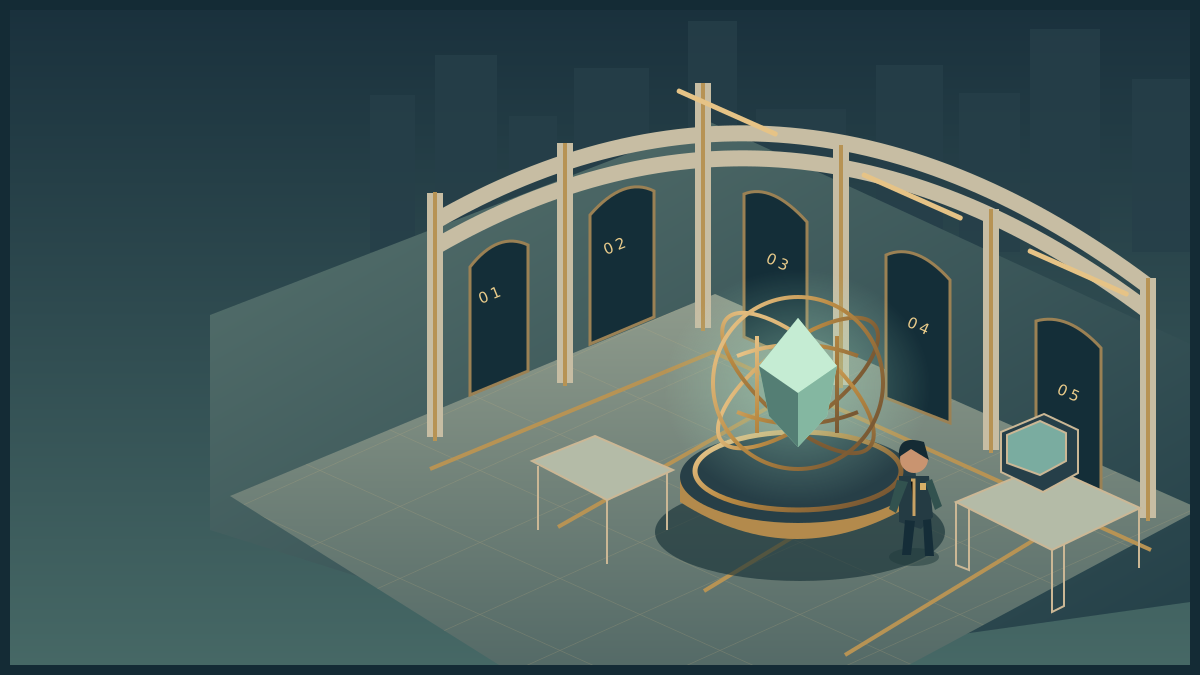
Mechanics Workshop
Explore the room. Inspect its instruments. Discover the obstacle, use your skills and complete the operation.
Loads on request · all equipment also has accessible controls belowHow to move, inspect and complete the activity
Use WASD or arrow keys to walk. Press E near an instrument to examine it. Inspect means read its details; Use equipment performs the action named in its status message. The task controls let you choose exact settings and test a solution. Once verified, use the mission station to put it into effect, collect the resulting evidence or cargo, follow its checkpoints and complete the handover at the receiving station.
Scroll over the scene or use Zoom + / Zoom − for a closer or wider view. Click and drag to turn whenever the cursor is free. Choose Fullscreen mission to keep the scene, mission instructions and all task controls together. Fullscreen starts with a free cursor so you can scroll the panel and choose options. Press X or Lock cursor (X) to turn by moving the mouse. Press X again to free the cursor and return to click-and-drag turning. Tab also frees the cursor. The X shortcut stays inactive while typing or choosing a form value. Press Escape or Exit fullscreen to return to the page. On touchscreens, drag to look and use the zoom buttons. If your browser cannot enter native fullscreen, the mission expands to fill its window.
The activity below also works without 3D. Follow its objective and feedback, then save your record. Walking around the scene is optional and does not complete the lab by itself. The campus worksheet provides a printable alternative.
FIELD OPERATION · Briefing
The Suspended Cradle
Raise a recovery cradle to its receiving platform without forcing its blocked mechanism. Produce two output turns from four driver turns with a 180° cam.
The cradle stalls or misses its required output. Brake, return support, cam datum and gearing are possible explanations. Choose an inspection before changing its configuration.
Inspect the mission station to begin your investigation.
Nothing collected.
Mission actions become available when the activity loads.
Mission record and accessible controls
These controls perform the same actions as the marked stations in the scene. Use them with a keyboard or touch, or when graphics are unavailable. Equipment tests establish whether your intervention is supported. The final handover records a mission outcome; your explanation is assessed separately.
- No mission actions yet.
LAB MISSION / Practice
What you are trying to do
Make the mechanism deliver the stated output by checking both its gear ratio and the conditions that let it move.
DO THIS NEXT
Read the input turns, required output and cam angle below. Calculate output = driver teeth ÷ driven teeth × input turns; select the output direction.
Equipment instructions for this mission
- Predict the movement
Read the input turns, required output and cam angle below. Calculate output = driver teeth ÷ driven teeth × input turns; select the output direction.
- Diagnose before correcting
Use Inspect holding brake, return spring, cam datum or gear tooth counts. Select Diagnosis of the original fault, then Record diagnosis before changing any setting.
- Operate the crank
Select Turn the crank. Compare Observed output with the target. If blocked, check the support conditions before changing the gear.
- Verify and diagnose
Use Test this configuration after corrections. A matching gear ratio alone is insufficient if the mechanism cannot move.
How you know you are done: The output turns the required number of times in the predicted direction, with the cam, spring and interlock correctly configured. Then enact the verified intervention at the mission station and confirm its consequence.
Inspect means select a named object and read its finding. Use the equipment means operate the labelled controls below, then check the result. Exploring the scene does not automatically complete the task.
The apparatus and the controls below use the same model. All tasks can be completed with keyboard controls. No timer is required.
The complete worksheet below is available while the interactive lab loads.
Practice in progress
Load the controls or use the worksheet to begin.
Hint 1. Identify the input, transmission and output before operating the assembly.
Hint 2. Two externally meshing gears turn in opposite directions.
Hint 3. Check the interlock state before treating resistance as a failed gear.
After playing · explain and save this attempt
Finish the practical attempt first. Then record what you noticed, what changed and any help you used. You can also preserve an unfinished attempt.
Recording preserves your actions and explanation. Practice feedback does not award an academic grade.
Your recent action trace
- No actions recorded yet.
Complete worksheet and explanation · works without JavaScript
Mission: Raise a recovery cradle to its receiving platform without forcing its blocked mechanism.
Obstacle: The cradle stalls or misses its required output. Brake, return support, cam datum and gearing are possible explanations. Choose an inspection before changing its configuration.
Task: Use an inspection to diagnose the original mechanism fault before changing it; predict and verify the corrected output.
Practical enactment: once the equipment check passes, engage the tested cradle drive. Trace the result through Receiving platform, then confirm the cradle reached its platform. Expected consequence: The tested mechanism drives the cradle to its receiving platform and opens the supported handover point.
Mechanism diagnostic worksheet
Output = driver teeth ÷ follower teeth × input turns; meshed gears turn oppositely. A released brake, attached return spring and specified cam datum permit motion. Available inspections reveal the brake, spring, cam datum or tooth counts. Choose the inspection that separates your candidate explanations and record a diagnosis before changing parts.
- Practice: 12-tooth driver, four input turns, target two outputs, datum 180°. Inspection card: brake engaged, spring attached, cam 180°, follower 24 teeth.
- Check: four input turns, target four outputs, datum 180°. Inspection card: brake released, spring attached, cam 180°, follower 24 teeth.
- Transfer: six input turns, target two outputs, datum 90°. Inspection card: brake released, spring absent, cam 90°, follower 36 teeth.
Use the observed condition to identify a fault; correct it and compare actual output with your prediction. These are raw inspection readings, not a completed diagnosis.
Reflection and example
Separate demonstration: I calculated 18 ÷ 30 × 5 = 3 opposite output turns. The interlock, 270-degree cam and spring checks made that prediction testable. For two turns from four inputs, I changed the follower to 36 teeth and retained the valid readiness conditions.
Your output: mechanism-diagnosis. Record the conditions, actions, result and what you would test next. An explanation can be defensible while differing from the example.
YOUR SKILLS PASSPORT
Keep what you learn.
Practice stays in this browser. Export it to take your work with you.
Which save or export should I use?
- Record attempt in skills passport on a lab keeps that phase's actions and your explanation. Save it before switching to a different phase.
- Export backup JSON downloads a backup you can bring back with Restore backup.
- Export learning record creates a readable account for your portfolio. Print record prepares the same kind of evidence for printing.
- Export assessment record inside a mission keeps that trial's decisions and debrief. Keep your written assessment explanation with it.
These controls keep your work; they do not submit it to an institution. Export a backup before changing browser, clearing browser data or resetting the passport.
Preparing your saved progress…
Your mission, in plain language
Your task: A carriage does not behave as required. Identify the failed dependency, choose a test that distinguishes it from an alternative and verify the repaired motion.
What you will produce: Keep candidate faults, the selected inspection and its prediction, observed evidence, diagnosis before repair, change made and verified final movement. Name one condition retained.
Start here: in-person attendance is preferred. Read the briefing and In-person lab instructions. If you cannot attend, use the Online lab with the same learning record. The 3D environment also supports preparation and revision.
Before you arrive
Read the labelled ME-01 parts and trace its input-to-output chain (15 minutes). Predict the output after two input turns (5 minutes).
Read the briefing. All starting rules and data are supplied here, so you can begin directly even if you missed an earlier lab. For the preferred in-person route, read the campus pack. The online route is available when you cannot attend. Both assess the outcomes below.
What you will learn
- Predict gear direction and movement from the published relation.
- Use inspections to distinguish causes before changing apparatus.
- Verify a targeted repair against the whole required motion and changed target.
Supplied case file and rules
ME-01 gives the mechanism rules and inspection options. ME-02 gives the target and initial inspection cards for each phase.
- A 12-tooth driver externally meshes with a selectable 12-, 24- or 36-tooth follower. Output turns = 12 ÷ follower teeth × input turns; direction is opposite.
- Motion requires a released interlock, attached return spring and specified cam angle. An engaged interlock blocks cam adjustment.
- Practice: four input turns must produce two outputs; cam datum 180 degrees.
- Skill check: four input turns must produce four outputs; datum 180 degrees.
- Transfer: six input turns must produce two outputs; datum 90 degrees.
- Choose inspections of brake/interlock, return spring, cam datum or gear teeth. Record evidence and a diagnosis before using adjustment controls.
- One initial fault exists in each phase. Its identity is not supplied in the task; compare the revealed conditions with the rules.
- After a targeted correction, verify movement, direction and the required return. This is an educational mechanism, not a commercial lock.
From example to independent challenge
Worked example: use the alternate scenario to learn the method. Its completed decisions cannot be copied into your assigned case.
Practice: use prompts and hints, recording help. Make the prediction or choice before checking.
Skill check: begin from the objective and evidence. Decide which test or action matters before consulting the optional explanation.
Transfer: inspect the changed condition. Decide what it invalidates and what remains supported; a justified unchanged decision can be correct.
The two-hour lab
These are the teaching session’s time blocks, not six compulsory game objectives. Adjust timing as needed; reasoning matters more than speed.
| Time | Activity |
|---|---|
| 0–10 minutes | Draw the input-to-output chain and list two explanations for a stalled carriage. |
| 10–30 minutes | Use the alternate example to predict an informative inspection. |
| 30–60 minutes | Inspect the first mechanism, record a diagnosis, then repair and test. |
| 60–80 minutes | Diagnose the second initial fault independently; preserve evidence before changing controls. |
| 80–105 minutes | Meet changed motion/cam requirements and distinguish target changes from component faults. |
| 105–120 minutes | Compare diagnostic traces and retain a rejected explanation with evidence against it. |
In-person lab · preferred route
Printable connector and mechanism sheet. Print at 100% on A4; each sheet includes a 50 mm scale check.
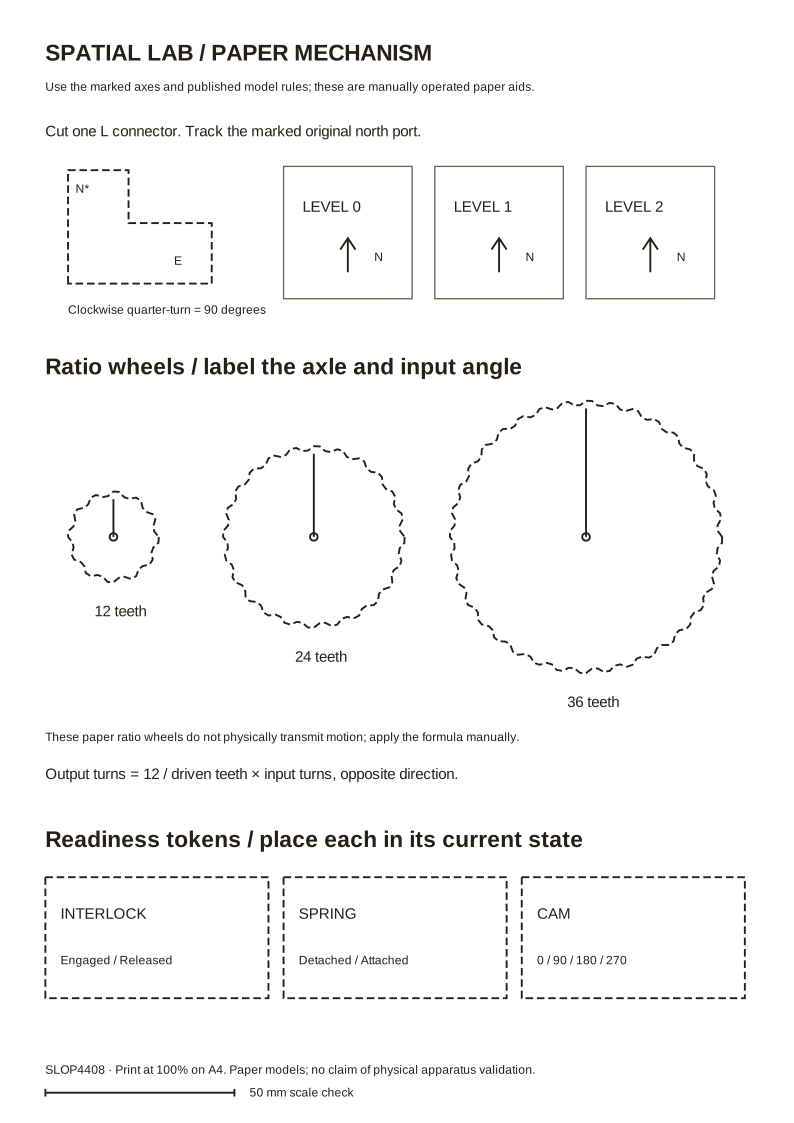
Equipment: Printed gear discs labelled 12, 24 and 36; card cam and follower; cardboard carriage; paper fasteners; a removable interlock tab. Use an animation or facilitator model if fabrication is unavailable.
Setup: Mark tooth counts and angular reference lines. Mount discs so they can rotate and demonstrate the labelled relationship; a facilitator may manually track ratios on paper. Build the cam/follower as a conceptual model. Use the campus pack’s three initial configurations and reveal requested inspections before students adjust them. This construction is a proposed classroom apparatus, not physically validated equipment.
What you do together: Investigate a faulty gear/cam model using requested inspection cards. Record a diagnosis before changing it, make a targeted correction and verify the required output and return.
The printable facilitator pack includes rules, prompts and explanation. Campus apparatus is a proposed teaching design; physical construction and handling have not been validated by browser tests. Use the paper model when equipment is unavailable.
Keep the same prediction, changed-condition attempt and explanation as the online route. A dated observation, test, agreement or route sheet serves as the action record. Add acknowledgement where a handoff is part of the task; an additional browser run is not required.
Online lab · equivalent participation and revision
Do these actions in order
- Select Practice and read the target output and cam requirement. Predict direction and movement; list two candidate faults.
- Choose an inspection control for the brake/interlock, spring, cam or gear. Explain what the result can distinguish. Do this before changing apparatus.
- Select the supported Diagnosis and Record diagnosis. If you already changed parts, restart this phase and preserve the original evidence first.
- Make the targeted adjustment using Release interlock, Change driven gear, Rotate cam or Attach return spring as appropriate. The instructions do not tell you which fault the phase contains.
- Select expected direction, then Turn the crank and Test this configuration. Compare actual movement with the whole target. Complete the apparatus consequence described below and save the attempt.
- Repeat independently for Skill check and Transfer challenge. Diagnose each initial configuration, recalculate its target and retain evidence for a rejected explanation.
Put your solution into effect
A correct equipment check is the preparation for your mission action. In Field operation, first Inspect mission station. Once your skill check is verified, select Engage the tested cradle drive. The scene and mission record now show the consequence: The tested mechanism drives the cradle to its receiving platform and opens the supported handover point.
Collect the named result or record, follow the checkpoint controls in order (or visit the marked stations in the scene), and select Confirm the cradle reached its platform at the receiver. The status changes to Mission accomplished only after that acknowledgement. Keyboard and touch controls perform the same actions. If you change the underlying model, the dependent intervention must be verified again.
Your mission outcome is practice evidence, not an academic grade. Explain its reasoning in the debrief after playing.
Finish and keep your work
After each practical phase, open After playing · explain and save this attempt, write a brief reflection and select Record attempt in skills passport before switching phases. Keep the attempts and changed-condition evidence you discuss; an unfinished attempt can still be useful if you explain its limit. Export a backup using the passport tools.
For an uninterrupted view, choose Fullscreen mission. The Mission & controls panel contains the task and lesson controls. Scroll over the scene to zoom, click and drag to turn with the cursor free. Press X to lock the cursor for mouse-look; press X again (or Tab) to free it for scrolling and choosing options. Esc or Exit fullscreen returns to the page. Touch and keyboard controls remain available.
What leaves the room
mechanism-diagnosis
Keep candidate faults, the selected inspection and its prediction, observed evidence, diagnosis before repair, change made and verified final movement. Name one condition retained.
Include scenario and assistance. Preserve a failed attempt if it explains a useful revision. Add approximately 100 words connecting result to decision.
A1 combines mechanism diagnosis with observation and spatial modelling. Physical recovery and stabilisation can need a support mechanism; digital recovery need not repeat an unrelated cradle exercise.
Feedback and explanation
Optional explanation and separate exemplar · open after an attempt
The diagnosis must precede adjustment. Compare the original inspection with the model’s requirements; verify actual output after the targeted correction. A working final arrangement without evidence of the initial condition does not establish which fault caused the failure.
Worked reflection from the separate demonstration: I calculated 18 ÷ 30 × 5 = 3 opposite output turns. The interlock, 270-degree cam and spring checks made that prediction testable. For two turns from four inputs, I changed the follower to 36 teeth and retained the valid readiness conditions.
Inspect this example’s complete record. Use your own assigned scenario and observations for your reflection.
How to judge the response
A strong response makes a decision the instructions did not supply, supports it with evidence and explains an alternative or limit. A model check establishes its published conditions only; a facilitator judges reasoning. Text length and game endings are not academic grades.
Keep candidate faults, the selected inspection and its prediction, observed evidence, diagnosis before repair, change made and verified final movement. Name one condition retained.
Closing reflection
Which observation would have disproved your first diagnosis?
Afterwards
Export your record and keep a backup. It contributes to Weekly Fieldwork, with the best ten of twelve counting. Continue to the assessment brief and consult policies for access, collaboration and extensions. Exporting does not submit coursework.
SLOP UNIVERSITY · THE ACADEMY OF IMPOSSIBLE SKILLS
An original fictional course. Progress records practice, not academic certification.