The method behind this example
Keep the reference frame fixed and test orientation separately from position.
Your independent challenge: The assigned connector begins with a different pair of labelled ports and its changed target needs a different transformation.
The example includes the practical intervention and its required handover.
Start this worked example
- Choose Watch the worked example. The student demonstrator explains the task, talks through each action, then reviews the observations and finished submission. Narration starts with this click; Mute narration keeps the same experience captioned.
- Choose Take control to try the current chapter. Follow its prompt, change the labelled controls and select Test my decision.
- Read the feedback, retry if needed, then continue with Next chapter. Each checked chapter provides evidence for one connected operation.
- After every chapter check, return to the mission station, perform the intervention, collect its package and follow the marked checkpoints to complete the handover. Watching performs these same actions with narration. Direct chapter access is a partial preview until the full evidence and handover are complete.
- Use Fullscreen mission after opening the scene to keep the instructions, chapter controls and equipment together. Reflections and exports come after your practical attempt.
This is an alternate example, not your assigned exercise. Your course task is linked after the player.
YOUR SKILL
Spatial transformations
A NEW SETTING
A telescope connector begins with north and west ports on level 0.
WHAT CHANGES
The starting port arrangement and required level differ from the assessed connector.
Scene guide · people, evidence and object placement
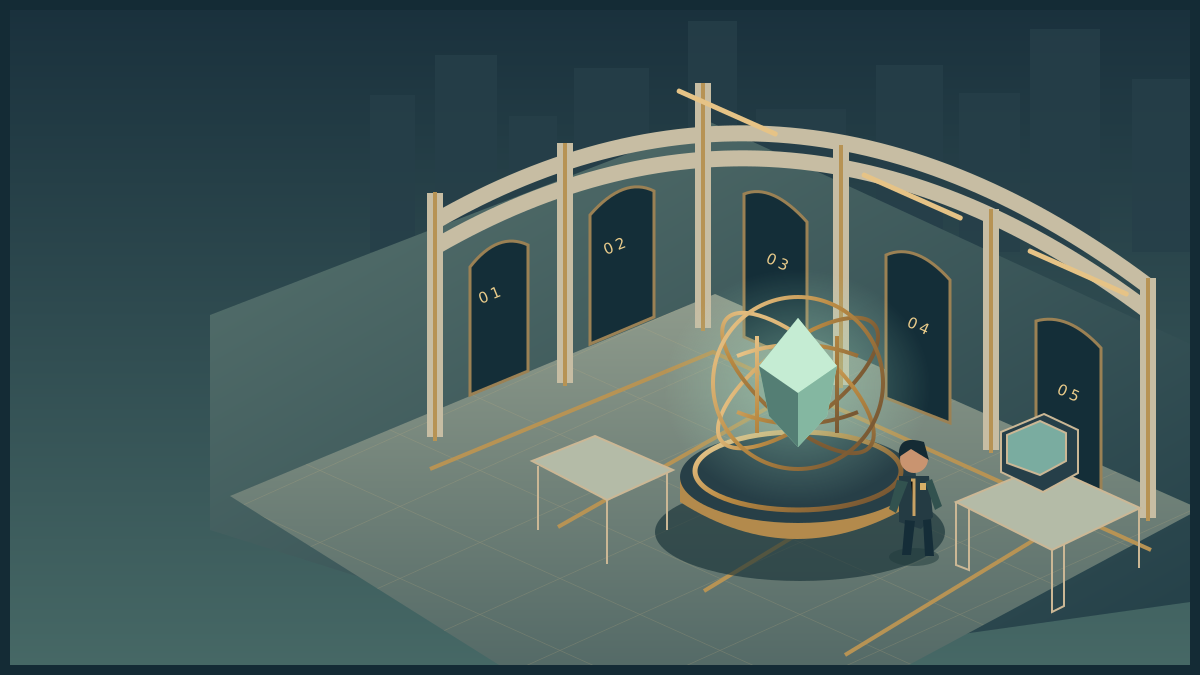
People and the dome connector
A telescope connector model with north and west ports.
- Your part
- Watch follows a worked solution. Take control lets you move the student avatar and try its decisions. The demonstrator in the explanation is modelling a solution, not an extra witness in the story.
- Your instructor
- Mara stands in the marked teaching bay outside the investigation area. She guides the exercise. Her presence, appearance and idle gestures are not clues about what happened in the case.
- People in this scenario
- The demonstrator is the example learner operating the model. Mara remains its teaching guide.
- What counts as evidence
- Use world directions, marked ports, clockwise rotation and level. Character and camera orientation do not change world north.
- Why the objects are here
- The connector on the platform is a spatial model, not a full observatory dome.
Spatial Lab
Watch the complete alternate example. Take control of the equipment whenever you are ready.
An alternate example · separate from your assessed workHow to move, inspect and complete the activity
Use WASD or arrow keys to walk. Press E near an instrument to examine it. Inspect means read its details; Use equipment performs the action named in its status message. The task controls let you choose exact settings and test a solution. Once verified, use the mission station to put it into effect, collect the resulting evidence or cargo, follow its checkpoints and complete the handover at the receiving station.
Scroll over the scene or use Zoom + / Zoom − for a closer or wider view. Click and drag to turn whenever the cursor is free. Choose Fullscreen mission to keep the scene, mission instructions and all task controls together. Fullscreen starts with a free cursor so you can scroll the panel and choose options. Press X or Lock cursor (X) to turn by moving the mouse. Press X again to free the cursor and return to click-and-drag turning. Tab also frees the cursor. The X shortcut stays inactive while typing or choosing a form value. Press Escape or Exit fullscreen to return to the page. On touchscreens, drag to look and use the zoom buttons. If your browser cannot enter native fullscreen, the mission expands to fill its window.
Choose Watch to follow the worked example, or Take control to try it yourself. The transcript and completed example remain available if 3D is unavailable. Demonstrations never change assessed progress.
I need to fit an offset connector to a labelled target. I will track world directions, predict a rotation, change height separately, and verify both conditions. My finished spatial model must explain what moved and why a similar-looking shape can still be wrong. The method we are practising is: Keep the reference frame fixed and test orientation separately from position.. Our field objective is: Restore the observatory connector and hand its verified configuration to the telescope operator. Offset ports and changing target height require separate direction and position decisions. I will perform the supported intervention and handover. You can pause, mute, replay, or take control at any point. The captions show the same explanation.
Narration starts after you choose Watch or Play. Captions remain available if this browser has no working voice.
Perform the practical outcome
Each chapter provides evidence for this operation. Inspect, investigate, act, and complete the handover.
FIELD OPERATION · Briefing
Operation Northstar
Restore the observatory connector and hand its verified configuration to the telescope operator.
Offset ports and changing target height require separate direction and position decisions.
Inspect the mission station to begin your investigation.
Nothing collected.
Mission actions become available when the activity loads.
Mission record and accessible controls
These controls perform the same actions as the marked stations in the scene. Use them with a keyboard or touch, or when graphics are unavailable. Equipment tests establish whether your intervention is supported. The final handover records a mission outcome; your explanation is assessed separately.
- No mission actions yet.
The complete transcript and finished example are available below while the player loads.
THE DEMONSTRATOR’S REASONING
Fix the world axes
The dome model is labelled north, east and up. The connector begins with ports north and west. The camera can move without changing those world directions.
Why this matters
Camera orientation and object orientation are different reference frames.
A plausible mistake
Treating screen left as west fails as soon as the camera turns.
WHAT THE DEMONSTRATOR DID
YOUR LEARNING CONTROLS
Make the skill your own.
Which direction remains fixed when the camera orbits?
Watch the apparatus change as the student demonstrates. Take control whenever you want to test the same idea yourself.
BASED ON YOUR ATTEMPTS
Watching and practising are recorded separately in this visit. These examples do not change your assessed work or skills passport.
NOW TRANSFER THE SKILL
Carry the method into your own work.
The assigned connector begins with a different pair of labelled ports and its changed target needs a different transformation.
A COMPLETE WORKED SUBMISSION
Completed spatial model — dome connector
Example work from this demonstration's scenario. Use it to understand the expected evidence and explanation, then make your own decisions in the assigned activity.
Download the complete exampleRead the finished work
Completed demonstration example — dome connector
The assigned connector uses different starting and target conditions.
Reference frame and prediction
World north and up remain fixed when the camera moves. The alternate connector initially has north/west ports at level 0. A clockwise 90-degree turn maps the original north port to east and the original west port to north.
Transformation record
- Initial: 0 degrees, level 0, north/west. - After rotation: 90 degrees, level 0, east/north. - After translation: 90 degrees, level 2, east/north. - Verification: both labelled ports and the required level match.
A mirrored substitute was rejected because outline similarity did not preserve the original label mapping.
Changed destination
The target moved to level 1 without changing port requirements. I lowered the connector and retained its 90-degree orientation.
Reflection
I initially treated reaching the right orientation as completion, but the target included a separate height condition. Writing two checks prevented that omission. Tracking the original north tip also made the rotation explainable when the camera changed. In a new configuration I would predict the label mapping before movement and then test position independently.
Named output: spatial-model. Evidence route: alternate worked simulation.
Method to carry forward
Keep the reference frame fixed and test orientation separately from position.
The assigned connector begins with a different pair of labelled ports and its changed target needs a different transformation.
The complete example explains one defensible approach. In your own challenge, select observations and tests from the supplied rules, keep your prediction separate from the result, and justify both the checks you perform and those you omit.
Complete transcript and decisions · readable without JavaScript
Before we begin · expected task and evidence
I need to fit an offset connector to a labelled target. I will track world directions, predict a rotation, change height separately, and verify both conditions. My finished spatial model must explain what moved and why a similar-looking shape can still be wrong. The method we are practising is: Keep the reference frame fixed and test orientation separately from position.. Our field objective is: Restore the observatory connector and hand its verified configuration to the telescope operator. Offset ports and changing target height require separate direction and position decisions. I will perform the supported intervention and handover. You can pause, mute, replay, or take control at any point. The captions show the same explanation.
1. Fix the world axes
What I need to do: Step 1. Fix the world axes. I find world north and up before moving anything. Turning the camera must not change the reference directions in my explanation.
Supplied context: The dome model is labelled north, east and up. The connector begins with ports north and west. The camera can move without changing those world directions.
Watch my actions: For "Fixed reference", I choose "World north". I check the demonstrated result.
What I observed: The reference frame is explicit before any movement. Camera orientation and object orientation are different reference frames.
Why: Camera orientation and object orientation are different reference frames.
Decision: Which direction remains fixed when the camera orbits?
- Fixed reference: World north
Result: The reference frame is explicit before any movement.
Common mistake: Treating screen left as west fails as soon as the camera turns.
2. Predict the quarter-turn
What I need to do: Step 2. Predict the quarter-turn. I predict where both labelled ports will point after a clockwise quarter-turn, before I rotate the connector.
Supplied context: A clockwise 90-degree rotation maps north to east and west to north. The demonstrator states both predictions before touching the module.
Watch my actions: For "Predicted north port", I choose "east". I check the demonstrated result.
What I observed: The predicted mapping fits the target pair. Tracking two labelled features guards against a reflected shape that only looks similar.
Why: Tracking two labelled features guards against a reflected shape that only looks similar.
Decision: Where will the original north port point?
- Predicted north port: east
Result: The predicted mapping fits the target pair.
Common mistake: Guessing from an unlabelled outline can conceal a reflection.
3. Rotate without changing height
What I need to do: Step 3. Rotate without changing height. I rotate the connector ninety degrees while keeping its level unchanged. I will check position as a separate condition.
Supplied context: The module turns 90 degrees clockwise while staying on level 0. Its ports now match east and north, but the target is still two levels above.
Watch my actions: For "Rotation", I enter 90 degrees. I check the demonstrated result.
What I observed: The rotation is correct while the height remains unresolved. Satisfying orientation does not also satisfy position.
Why: Satisfying orientation does not also satisfy position.
Decision: Set the clockwise rotation.
- Rotation: 90 degrees
Result: The rotation is correct while the height remains unresolved.
Common mistake: Declaring success now ignores the independent level requirement.
4. Raise the same orientation
What I need to do: Step 4. Raise the same orientation. I raise the correctly oriented connector to the target level without turning it again.
Supplied context: The connector moves to level 2 without turning. The north-labelled original tip continues pointing east.
Watch my actions: For "Floor level", I enter 2. I check the demonstrated result.
What I observed: Both orientation and position now satisfy the target. Translation changes position while preserving orientation.
Why: Translation changes position while preserving orientation.
Decision: Choose the required level.
- Floor level: 2
Result: Both orientation and position now satisfy the target.
Common mistake: An extra rotation while lifting would solve height but break orientation.
5. Reject a mirrored shortcut
What I need to do: Step 5. Reject a mirrored shortcut. I compare labelled directions as well as the outline. A mirrored shape can look similar while connecting the wrong ports.
Supplied context: A second connector has the same broad outline but its marked ports are reversed by reflection. The demonstrator rejects it because its label mapping differs.
Watch my actions: For "Verification", I choose "Both labelled port directions and the level". I check the demonstrated result.
What I observed: The accepted model meets all constraints, not just its silhouette. Equivalent silhouettes do not establish equivalent handedness.
Why: Equivalent silhouettes do not establish equivalent handedness.
Decision: What must the check preserve?
- Verification: Both labelled port directions and the level
Result: The accepted model meets all constraints, not just its silhouette.
Common mistake: A reflected part cannot always be substituted by turning it.
6. Apply a changed destination
What I need to do: Step 6. Apply a changed destination. The new target is lower, but its port directions have not changed. I revise the level and retain the justified rotation.
Supplied context: The same oriented connector is now needed at level 1. The demonstrator lowers it one level and keeps the 90-degree rotation.
Watch my actions: For "New level", I enter 1. For "Retained rotation", I enter 90 degrees. I check the demonstrated result.
What I observed: The revision changes only the affected spatial condition. A changed position requirement does not justify changing a still-correct orientation.
Why: A changed position requirement does not justify changing a still-correct orientation.
Decision: Set the new level while retaining the rotation.
- New level: 1
- Retained rotation: 90 degrees
Result: The revision changes only the affected spatial condition.
Common mistake: Repeating the whole movement sequence may rotate an already correct part.
Performing the field operation
All chapter evidence checks are complete. I return to the mission station and engage the telescope coupling. I am putting the verified solution into effect, then checking what changes.
I collect Northstar coupling certificate. The verified intervention released this package. I now carry it through the marked handover route.
I carry Northstar coupling certificate to Alignment gantry. I confirm this checkpoint before continuing so the handover trace records the route actually followed.
I carry Northstar coupling certificate to Telescope operator station. I confirm this checkpoint before continuing so the handover trace records the route actually followed.
At the receiving station, I hand over the configuration certificate. I check the receipt before calling the field operation complete.
My observations and finished submission
I held world north fixed, predicted north to east and west to north, then turned the connector ninety degrees clockwise. Raising it to level two satisfied the separate position condition. I rejected a mirrored substitute because its labels did not match. When the target moved to level one, I changed only the height. My record preserves each transformation and both verification checks. Keep the reference frame fixed and test orientation separately from position. Open "Read the finished work" or download the complete example to inspect the evidence and explanation together. The assigned connector begins with a different pair of labelled ports and its changed target needs a different transformation.
The complete submission is available in Read the finished work above and as a Markdown download.