A real production record showing how one AI short film moved from directing brief and screenplay to references, generated shots, rough cuts, sound and a final scoped cut.
The Last One is a real production walkthrough, not a model answer. It follows the same direct → write → visualise → plan → generate → evaluate → redirect → edit → sound sequence used in the workshops. The production was originally planned as 47 shots, then deliberately scoped to the 21 shots that could be completed in the available time. Nothing below stands in for work that was not made.
Week 1 · Direct
Start with an intention, not a tool
The directing brief was deliberately simple: the first minute must read as a serious post-apocalyptic film, while the comedy arrives from an ordinary delivery rider entering that world without changing his everyday behaviour. Performances stay restrained; the joke comes from the collision between those two realities.
Action: Write one sentence describing the audience's initial reading, then one sentence naming what later changes that reading.
Output: A fixed tonal intention that every shot, performance and sound decision can be judged against.
Week 2 · Story
Reduce the idea to observable pressure
A survivor believes he and Lucky are the last living beings. A knock at the bunker promises human contact, but the visitor is a delivery rider completing an absurdly late order. The practical story question is not “is the apocalypse real?” but “how long can the film preserve the survivor's belief before ordinary life breaks it?”
Action: Name the protagonist's belief, the event that challenges it and the immediate change the audience should observe.
Output: A one-paragraph premise that can be staged without explanatory narration.
Week 3 · Screenplay
Write what a camera and microphone can record
The screenplay turns the premise into actions: the survivor searches, marks the last area on a map, shares food with Lucky, hears a knock and approaches the door. Dialogue is withheld until the visual pattern is established, so “your delivery” can interrupt a serious performance instead of announcing the joke early.
“The survivor eats a spoonful of chickpeas and forces himself to chew. ‘No delivery either.’ The moment he finishes, a heavy knock lands on the iron door.”
This excerpt does three jobs without explaining the theme: it establishes deprivation, plants the delivery idea in dialogue, and turns the knock into both suspense and setup.
Action: Underline every sentence that cannot be shown or heard, then rewrite it as behaviour, staging or dialogue.
Output: A directable scene whose tonal turn happens through an observable event.
Week 4 · Shot design
Give every shot one job
The production plan grew to 47 shots. Each row names duration, action, sound and asset status, while the first 21 became the completed production scope. The plan also records removed material rather than quietly renumbering it, so the reason for every gap remains visible.
Shot 14 · 8 seconds: Close on the survivor. His rifle lowers and his eyes fill with hope. “Three years… I finally—” is interrupted from outside: “Order ending 3721? Your delivery.”
The row identifies the visible change, exact interruption and intended duration. It can therefore guide generation, editing and later review; “the reveal shot” would not be specific enough.
Action: For each beat, state what changes between the first and last frame and why that change deserves its own shot.
Output: A numbered list with framing, action, sound, duration and a single dramatic purpose per shot.
Week 5 · World bible
Lock identity before asking for motion
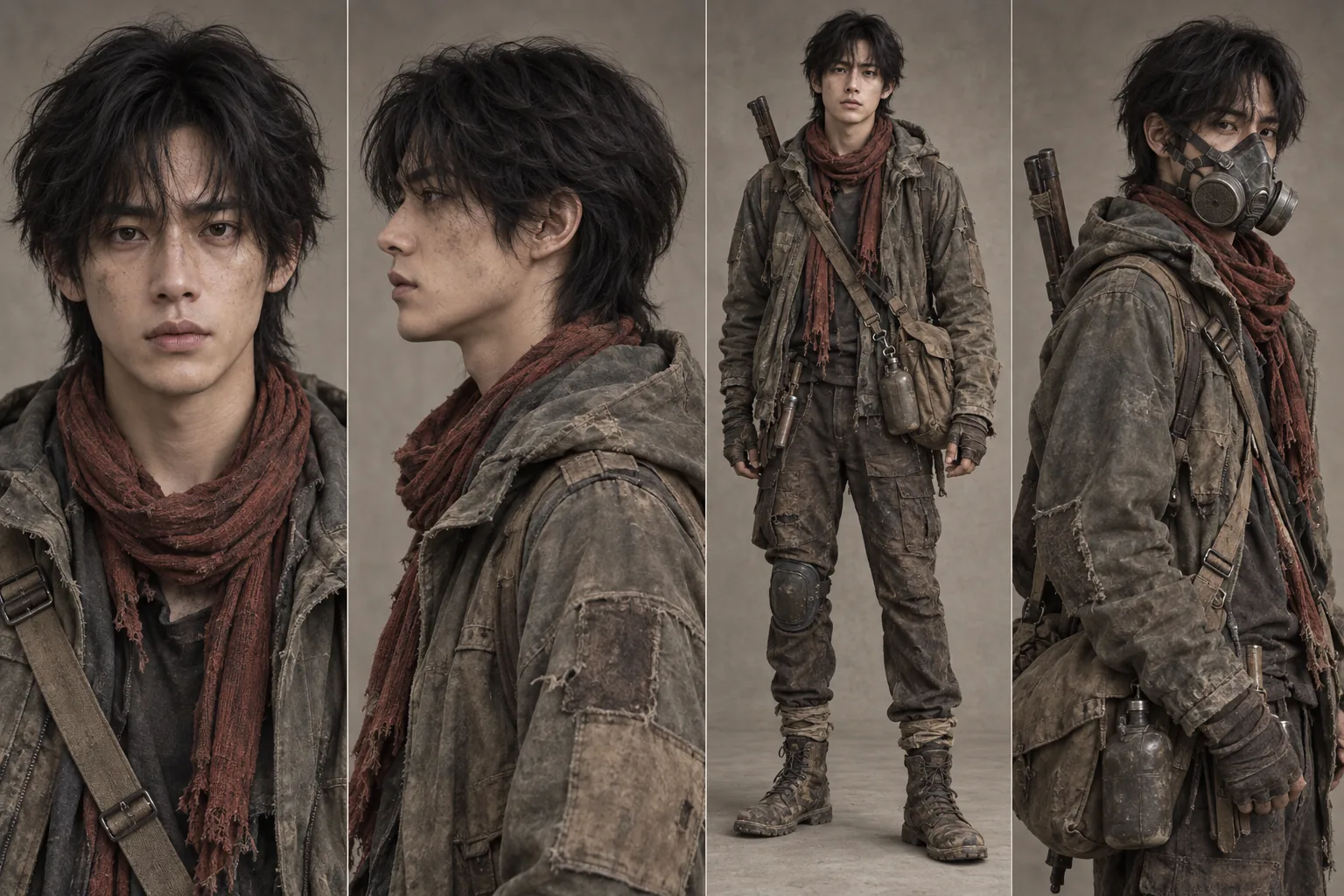
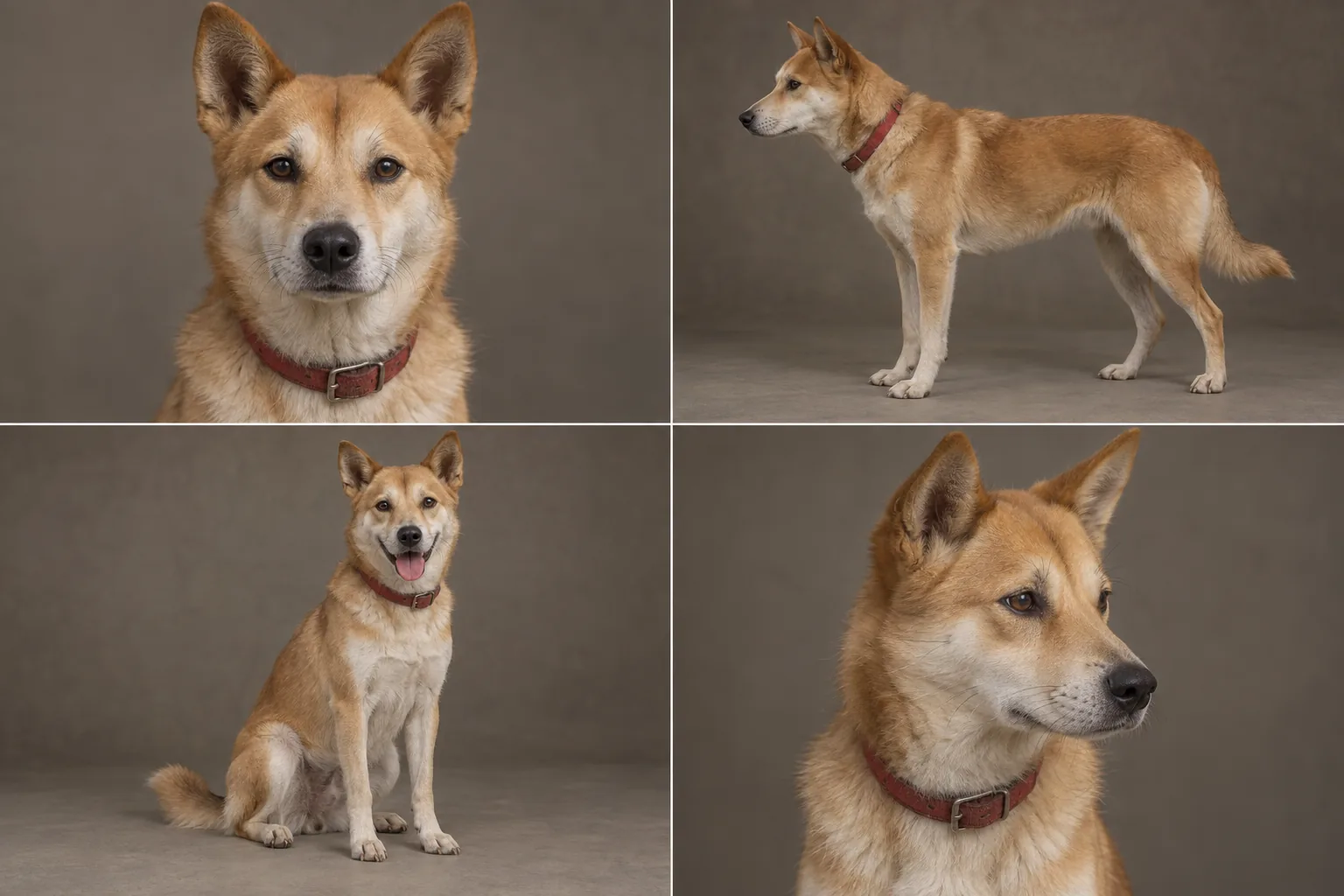
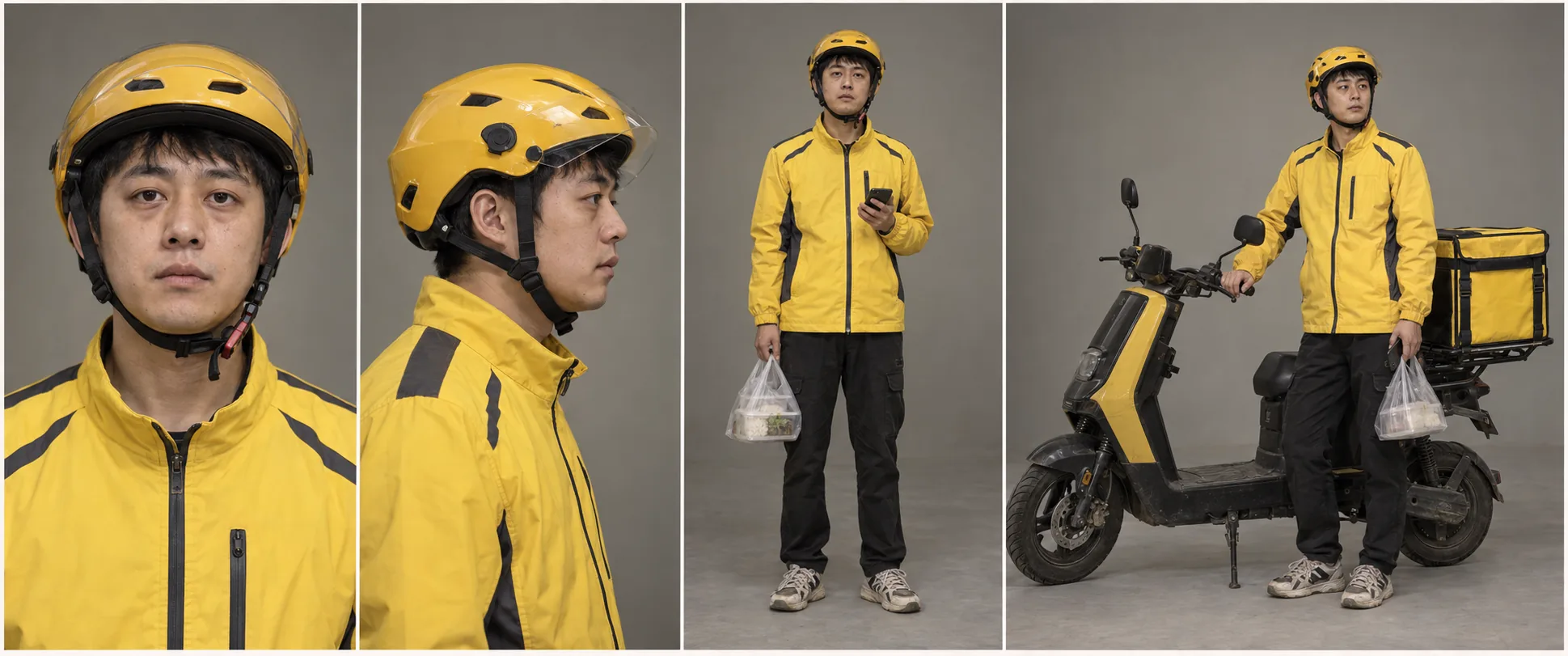
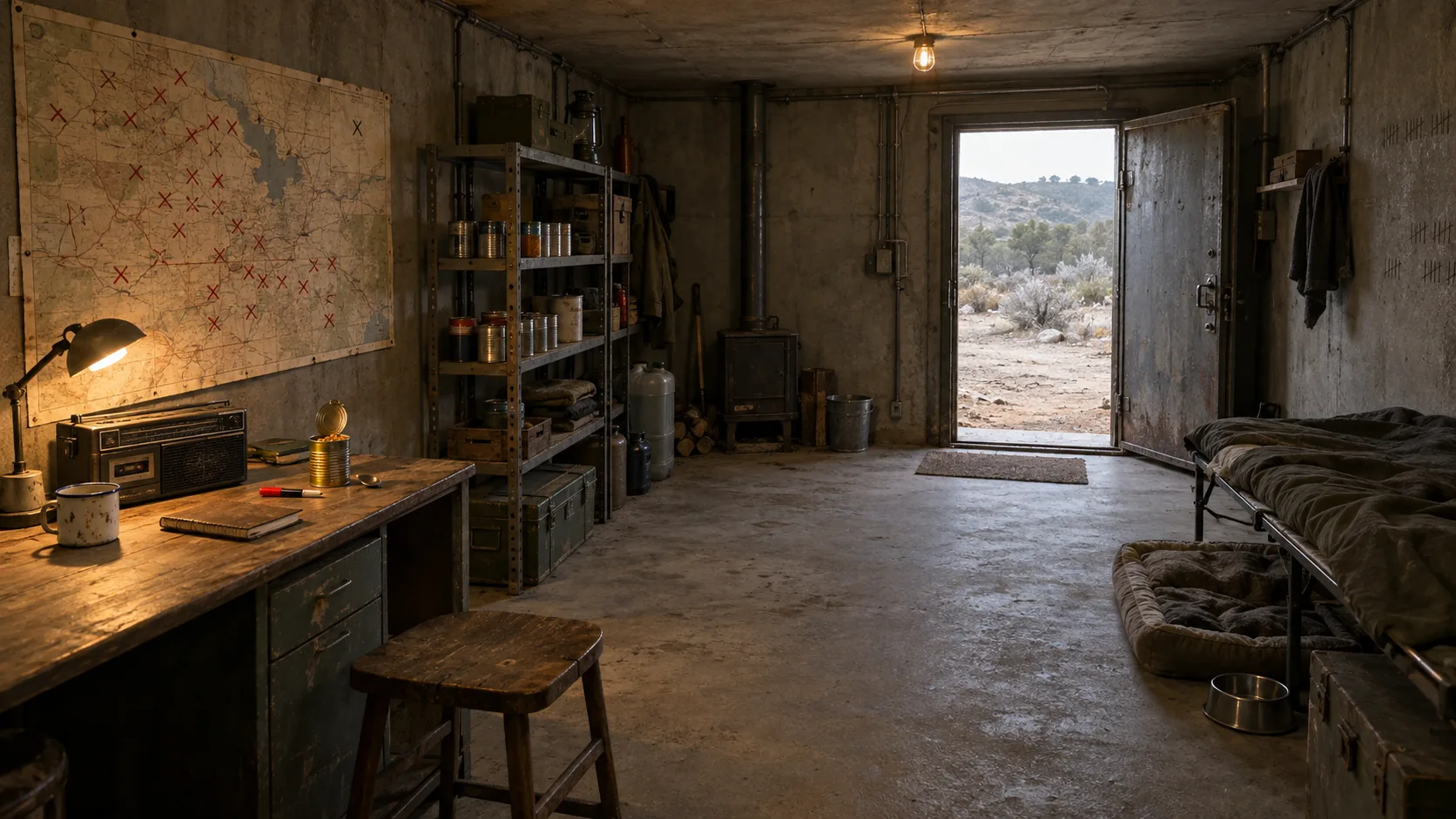
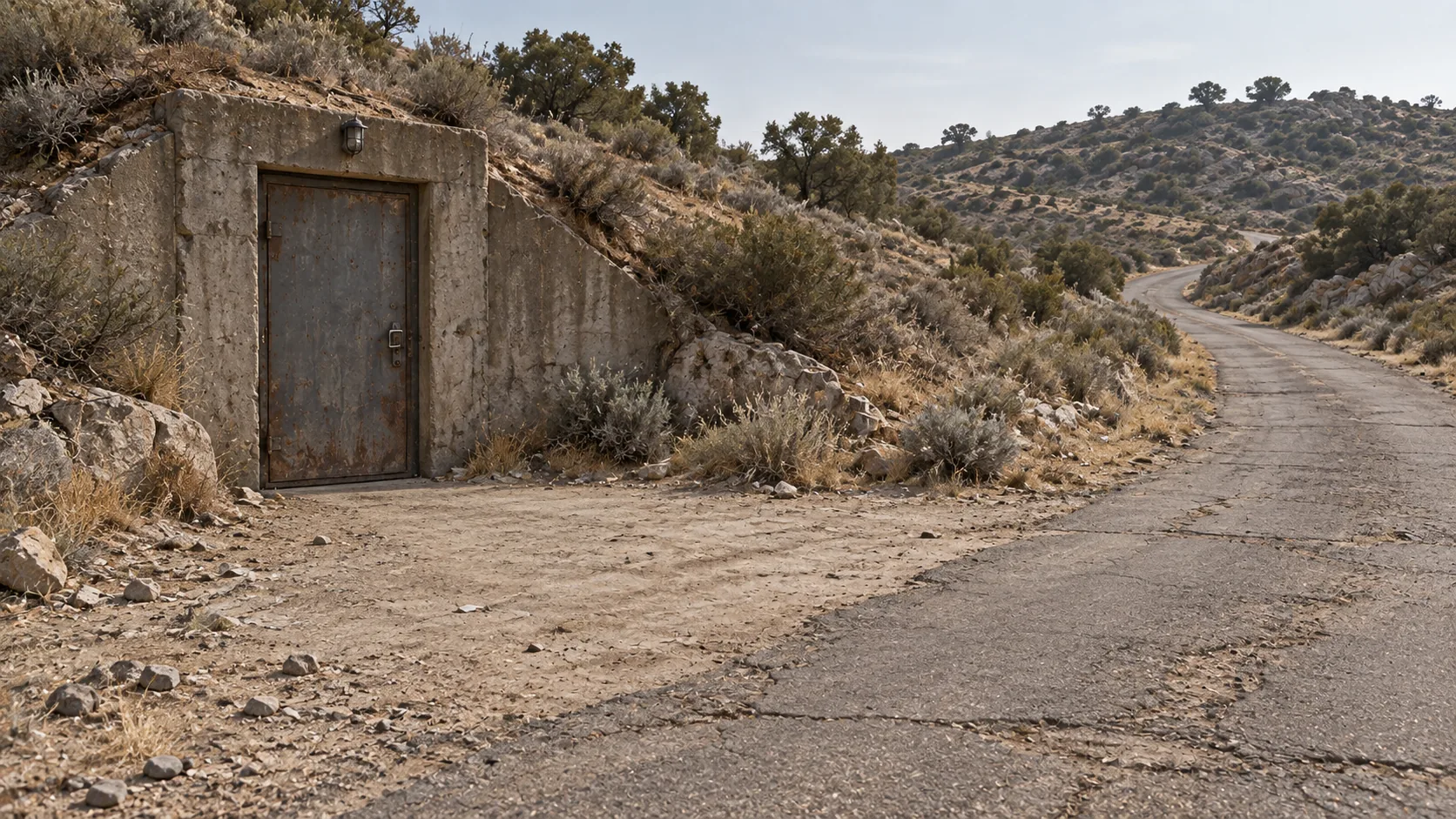
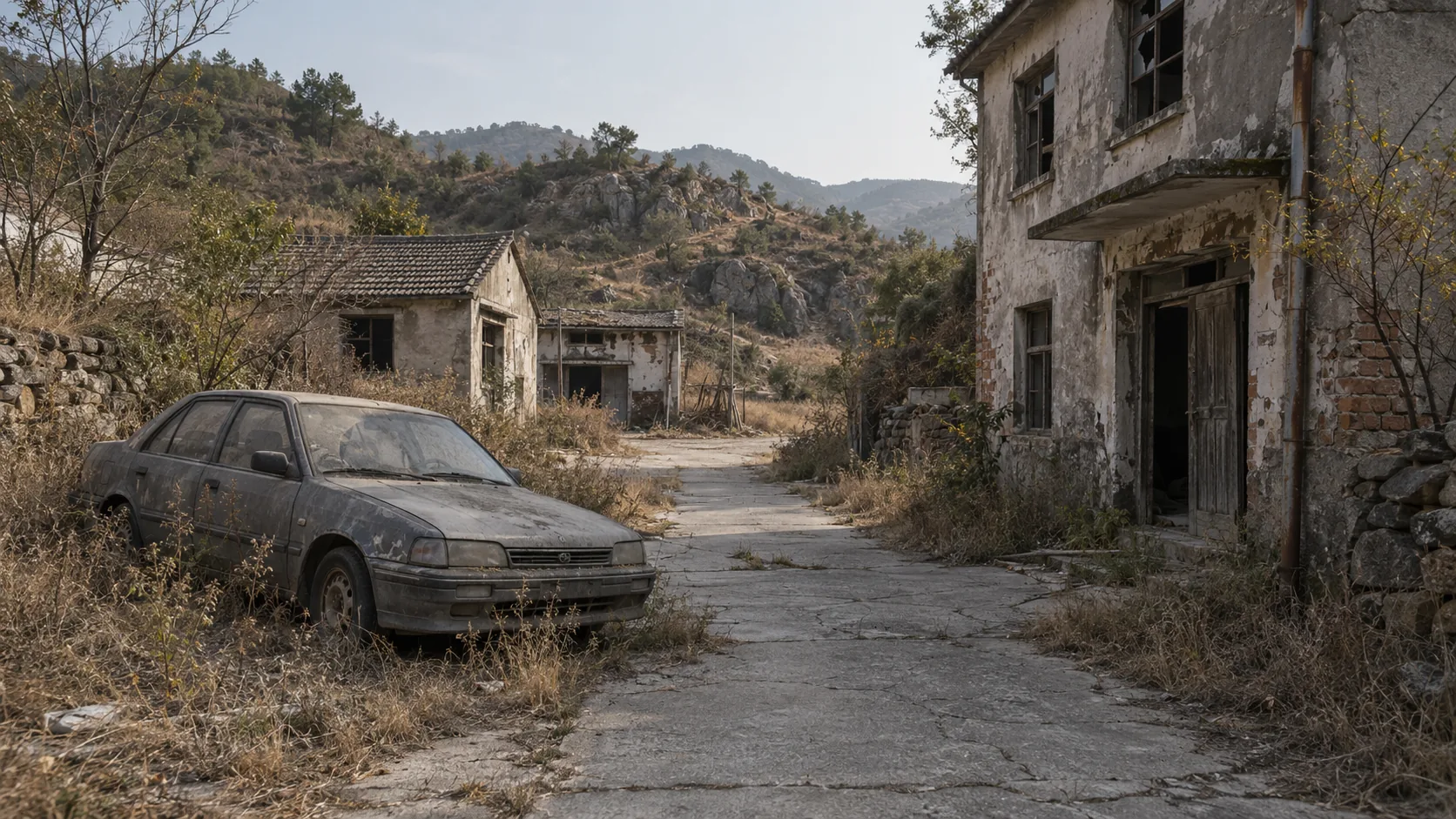
Character sheets lock the survivor, Lucky and the rider. Location references lock the bunker interior, its exterior and the abandoned village. These images describe repeatable identity; individual keyframes are still free to change pose, expression and camera position.
SurvivorLuckyDelivery riderBunker interiorBunker exteriorAbandoned village
Action: Separate fixed identity from changing shot state. Label every reference and version.
Output: A small, approved reference set that another person could use without inventing missing details.
Week 6 · Production order
Generate in dependency order
The project did not treat 47 rows as 47 independent requests. Character and location references came first; a shot's approved keyframe preceded its motion pass; and a previous shot's final frame was used where an action or screen direction needed to continue. Text on phones and other fragile interface details were reserved for post-production.
1Lock identityCharacter and location sheets
2Compose the anchorOne approved keyframe
3Direct motionAction, timing and camera response
4Inspect the takeContinuity, anatomy, performance and sound
5Pass continuity forwardUse the approved end frame for the next dependency
How the order worked in practice
Shots 12–14: the closed iron door and screen direction were locked before the rider was revealed.
Shots 15–16: the end of the survivor's reaction became the start condition for opening the door.
Shots 20–21: the three-character doorway composition was preserved while the dramatic focus moved from the rider to Lucky.
Phone text: the device stayed in the rider's hand, but readable interface text was deferred to post-production.
Action: Mark each shot's dependencies, then move blocked shots later instead of generating around an unresolved reference.
Output: A production order that explains why one shot must exist before another can begin.
Week 7 · Anchor to motion
Direct one visible action from a locked frame
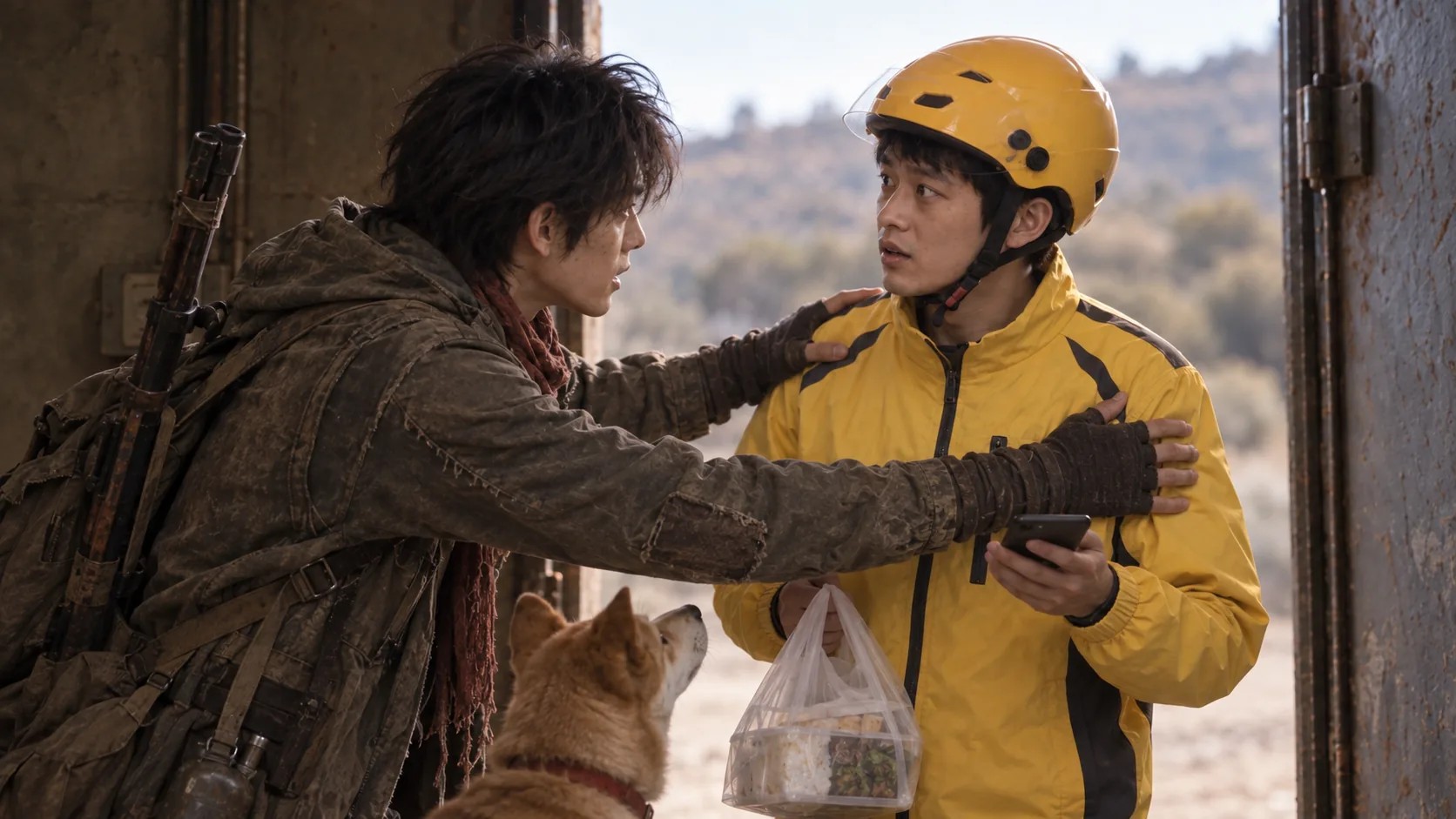
Shot 20 begins from a three-character doorway composition. The direction asks the survivor to grab the rider's shoulders urgently without turning the action into an attack, while the rider retains the phone and bag and Lucky stays present below them.
Anchor Shot 20 approved keyframeMotion Generated result
Example A · performance
Urgency without aggression
“He grips the rider's shoulders urgently, but does not shake, strike or threaten him. The rider keeps hold of the phone and delivery bag.”
Why it works: the note names both the desired action and the nearest unwanted interpretation.
Example B · camera
Movement caused by attention
“When the survivor turns toward Lucky, the camera follows slightly later with a restrained horizontal adjustment of about 10–15 degrees.”
Why it works: the camera has a dramatic cause, direction and limit.
Example C · continuity
Protect what is already approved
“Keep the rider at the doorway, Lucky between both men, the phone in the rider's right hand, and the delivery bag on the same side.”
Why it works: continuity constraints are concrete enough to inspect in the result.
Action: Describe timing, physical action and what must remain unchanged. Avoid mood-only direction.
Output: One motion request whose success can be judged from visible behaviour.
Week 8 · Evaluate and redirect
Change the diagnosed failure, not the whole shot
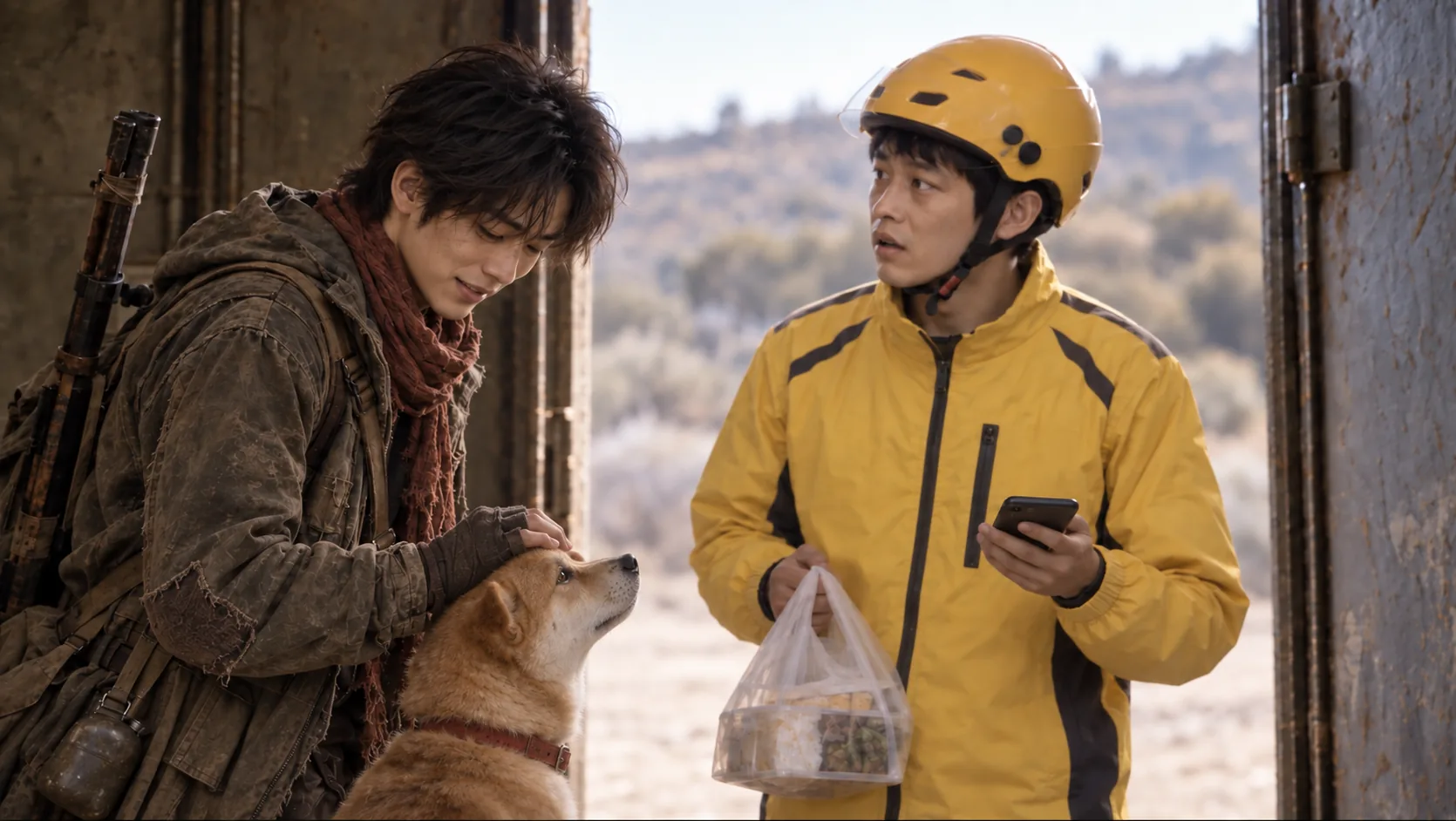
Shot 21's first keyframe did not make the survivor–Lucky interaction legible enough. The revision changed only that relationship: the survivor pets Lucky's head and Lucky turns to meet his gaze. The rider, doorway, costumes, props, scale and light remained locked.
Selected Revised interactionResult Produced take
Action: Name the observable mismatch, preserve everything that already works and rewrite only the failing action.
Output: A revision note precise enough to compare the next result against the previous one.
Week 9 · Assembly
Let the sequence reveal continuity problems
The first assembly retained every available clip and used hard cuts. It exposed repeated dialogue at shot boundaries: “who?” appeared twice, and the delivery number was repeated across adjacent clips. Those are edit and continuity findings produced by the assembly, not faults invented in advance.
Action: Watch the assembly unattended and log each break by shot number before proposing a repair.
Output: A continuity log separating what will be fixed from what will be deliberately accepted.
Week 10 · Edit
Make the second cut answer a specific diagnosis
Rough Cut v02 trims about 0.9 seconds from the start of Shot 13, keeps the first delivery-number line and replaces the repeated dialogue under Shots 15–16 with an environmental bed. Compare versions for those exact decisions rather than asking which one merely “feels better.”
Before Rough Cut v01After Rough Cut v02
Action: Make one cut that removes repetition, then state what information or pause the shorter version preserves.
Output: Two reviewable edits and a sentence identifying their exact difference.
Week 11 · Sound
Use sound to protect the tonal turn
The opening gained an interrupted emergency broadcast, radio filtering and a restrained post-apocalyptic music bed. The music stops after the final knock so the ordinary delivery dialogue arrives without an emotional instruction underneath it. English subtitles were prepared as a separate SRT and a burned-in review export rather than generated inside the image.
Action: Identify where music makes a claim, where it should yield to dialogue and which sounds must remain editable as separate layers.
Output: A sound pass whose cue timing can be defended beat by beat.
Week 12 · Review and scope
Finish the version that can be finished honestly
Time did not allow Shots 22–47 to be produced. The final scoped cut ends at Shot 21 rather than filling the unmade second half with placeholders or presenting planned material as completed work. That constraint becomes a production decision: preserve one coherent, reviewable chain from brief to final sound instead of hiding an unfinished expansion.
Final scoped cut Shots 1–21 · 1 minute 26 seconds
Action: State what is complete, what was removed and why the remaining scope still demonstrates the intended directing process.
Output: A clearly versioned export and an honest record of the production boundary.