Week 6: Planning before generating
Turning the screenplay into a full shot list and storyboard, and sequencing the whole production before spending time generating anything
29 March 2027
Every hour spent planning here is an hour not spent waiting on a queue for a shot that was never going to be in the film. This week is the last one before generation starts, and the discipline is to spend it, not skip it.
What you’ll be able to do#
- Expand a scene-level shot list and storyboard into a complete, sequenced schedule for the whole short, not just its most dramatic scene.
- State which bible reference a shot’s keyframe(s) draw on, and which keyframe(s) a generated shot depends on in turn — ordering shots so nothing is scheduled before what it needs already exists.
- Present a shot list and storyboard aloud, defend a shot you cut, and judge the package complete against a stated bar.
- Recognize that a take matching both of a shot’s keyframes isn’t automatically a finished shot — the movement between them still has to be directed and evaluated.
The lecture runs 90 minutes: recap 5, outcomes 5, technique and worked schedule 45, comparison 15, judgement practice 15, synthesis 5.
A shot list is a schedule, not a wish list#
Week 4 built a shot list for one dramatic beat and asked what each shot argues. This week asks a second question: in what order does each shot need to be generated, and what has to be locked before that generation is worth attempting? A wish list orders shots by how exciting they are to imagine. A schedule orders them by dependency: the screenplay locked in week 3, the bible locked in week 5, and — for shots involving a specific character or location — the exact reference version that shot needs.
A shot that depends on an unresolved reference isn’t ready to generate. Scheduling it anyway wastes the queue time this week exists to protect. Naming the dependency is the planning work; waiting for the decision is not a delay this week causes, it’s a delay this week catches before it costs you a generation.
Bible, keyframes, generated shots: three different jobs#
“A shot depends on a reference” is true but not specific enough to plan against once generation actually starts. Three different artefacts sit between the bible and the finished shot, and each one fixes a different kind of decision:
- The bible fixes identity: a character’s or location’s appearance, costume, props, spatial relationships, lighting, and visual style — the facts that must hold across every shot that uses them.
- A keyframe translates those fixed facts into one specific still for one specific shot: its framing, the pose, the expression, where a prop sits in frame — and, for a shot built as a single continuous take rather than a cut, both the state it starts in and the state it ends in.
- The generated shot takes the keyframe(s) and adds what a still image can’t show: performance, action, timing, and camera movement.
This is the same fixed-identity-versus-changing-state split week 5 taught for a bible entry, one level further down. Two keyframes for the same shot can differ from each other in pose, prop position, and framing, while both still have to match the same fixed bible identity. A keyframe changing Nadia’s face or costume between its start and end state is a continuity break; a keyframe changing where her hand is relative to the phone is the entire point of having two of them.
Matching the planned keyframe states is necessary, not sufficient. A generated take can land exactly on its starting still and exactly on its ending still and still fail as a shot, because the movement connecting them — how the performance is timed, what the camera does while it happens — is a separate directorial decision that has to be directed and evaluated on its own terms, not assumed from the keyframes alone. Week 7 develops directing that movement in depth; this week’s job is only to see that it’s a distinct step, not a consequence of getting the keyframes right.
Which keyframes a tool actually needs is tool-dependent, and this course doesn’t prescribe it in advance. Where a generation tool accepts both a starting and an ending reference image, supply both. Where a tool accepts only a single starting image, the starting keyframe becomes that generation’s input, and the ending keyframe becomes what you evaluate the resulting take against — a target for judging the take, not a second input every tool consumes. Check what a given tool actually supports before assuming either shape.
Worked planning example: the whole short as a schedule#
Week 2’s premise estimated three segments for “Before It Stops”: clearing the kitchen and settling at the table (0:00–1:25), the phone ringing while she reaches, stops, and withdraws (1:25–1:55), and accepting on the final ring (1:55–2:10). Week 4 shot-listed only the closing five shots. Expanding to the whole short means shot-listing the first segment too, then sequencing everything as one schedule:
| # | Shot | Keyframe(s) | Bible reference(s) the keyframe(s) need | What the generated shot directs beyond the keyframe(s) |
|---|---|---|---|---|
| 1 | Wide — she tapes the last box shut among the half-packed kitchen, sets it on the stack by the door | Start/input: Nadia beside the unsealed box, tape ready; end/target: sealed box on the stack by the door | Kitchen + Nadia references | The taping and setting-down action, timed |
| 2 | Medium — she crosses to the table and sits, phone resting nearby | Start/input: Nadia standing before crossing to the table; end/target: seated, phone on the table | Kitchen + Nadia + phone references | The crossing and sitting motion leading into the held frame |
| 3 | Wide — the figure at the kitchen table, phone lighting up beside her | Start/input: Nadia seated, phone screen dark; end/target: same wide framing, screen lit | Kitchen + Nadia + phone references | The phone’s light-up timing against her stillness |
| 4 | Insert — the phone screen reads THEO CALLING | Start/input: tight insert on the lit caller screen; end/target: same held display | Phone reference | Screen/ring timing, the held camera |
| 5 | Close-up — her face, still | Start/input: close framing, restrained expression; end/target: same held pose | Nadia reference | Held stillness, breath, minimal motion |
| 6 | Insert — her fingers reach toward the phone and stop short of it | Start/input: hand resting short of the phone; end/target: hand extended, stopping gap visible | Nadia + phone references | The reach’s speed and the stop, timed |
| 7 | Close-up, continuous — camera tilts up as she accepts on the final ring, lifts the phone to her ear, and says “Hey” | Start/input: low framing on her hand and the phone, still on the table; end/target: the phone at her ear as she says “Hey” | start: Nadia + kitchen + phone references; end: Nadia + phone references | The accept-and-lift performance, its timing, and the camera’s upward tilt connecting the two keyframes without a cut |
Shots 3–7 retain week 4’s closing actions, renumbered into their place in the whole sequence. Shots 1–2 shot-list the opening segment that week 2 only described in prose. Shot 7’s keyframe pair is an authored planning example illustrating the dependency chain, the same status as the rest of this schedule — not a report of an actual generation.
The start/input column describes the state before the action; the end/target column describes the state to evaluate afterwards. A seated image cannot serve as the opening frame for a crossing-and-sitting action, and an already lit screen cannot demonstrate the light-up transition from darkness. For a held shot, the start and end states may be the same. A target state does not require a separately generated end image for every shot: prepare one where it helps planning or the tool supports it. The tool may consume only the start image. These are planned states, not newly generated assets.
Read the “Bible reference(s)” column against week 5’s bible as it actually stands today, not as an unresolved wish list. Week 5 now embeds an image for each of these: Nadia’s appearance reference, the kitchen’s layout and lighting reference, and the phone’s appearance (carried over from week 4’s phone reference). One dependency is still genuinely open — the kitchen reference’s full geometry beyond what’s pictured is inferred, and its production approval is still pending. That’s the schedule doing its job either way: before this pass it would have shown you six shots waiting on the same handful of undecided references; the full-room actions in shots 1–2 still need that approval, including the crossing route in shot 2. Other frames can be prepared where the existing pictured geography is sufficient; check each framing before calling it ready.

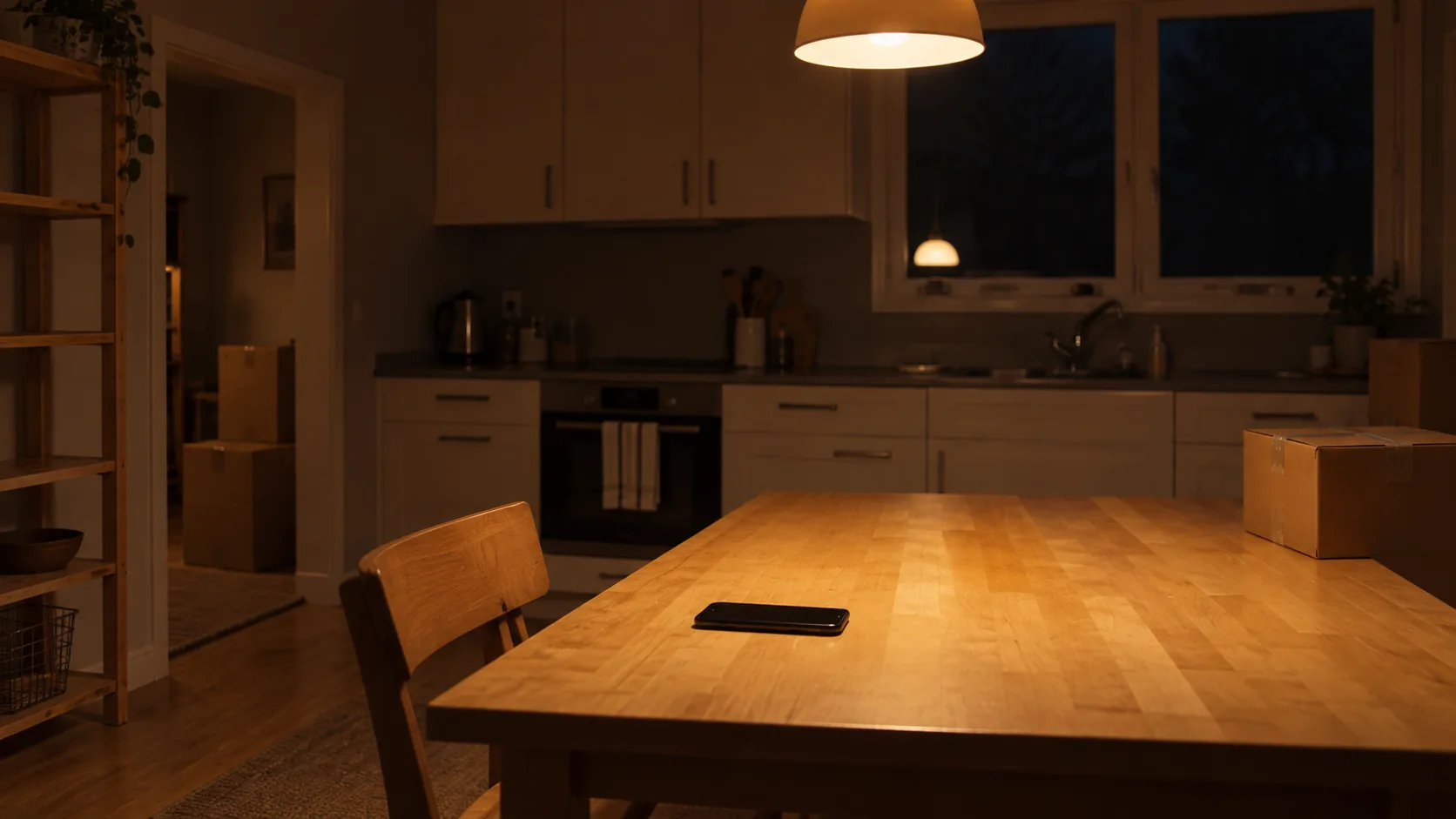
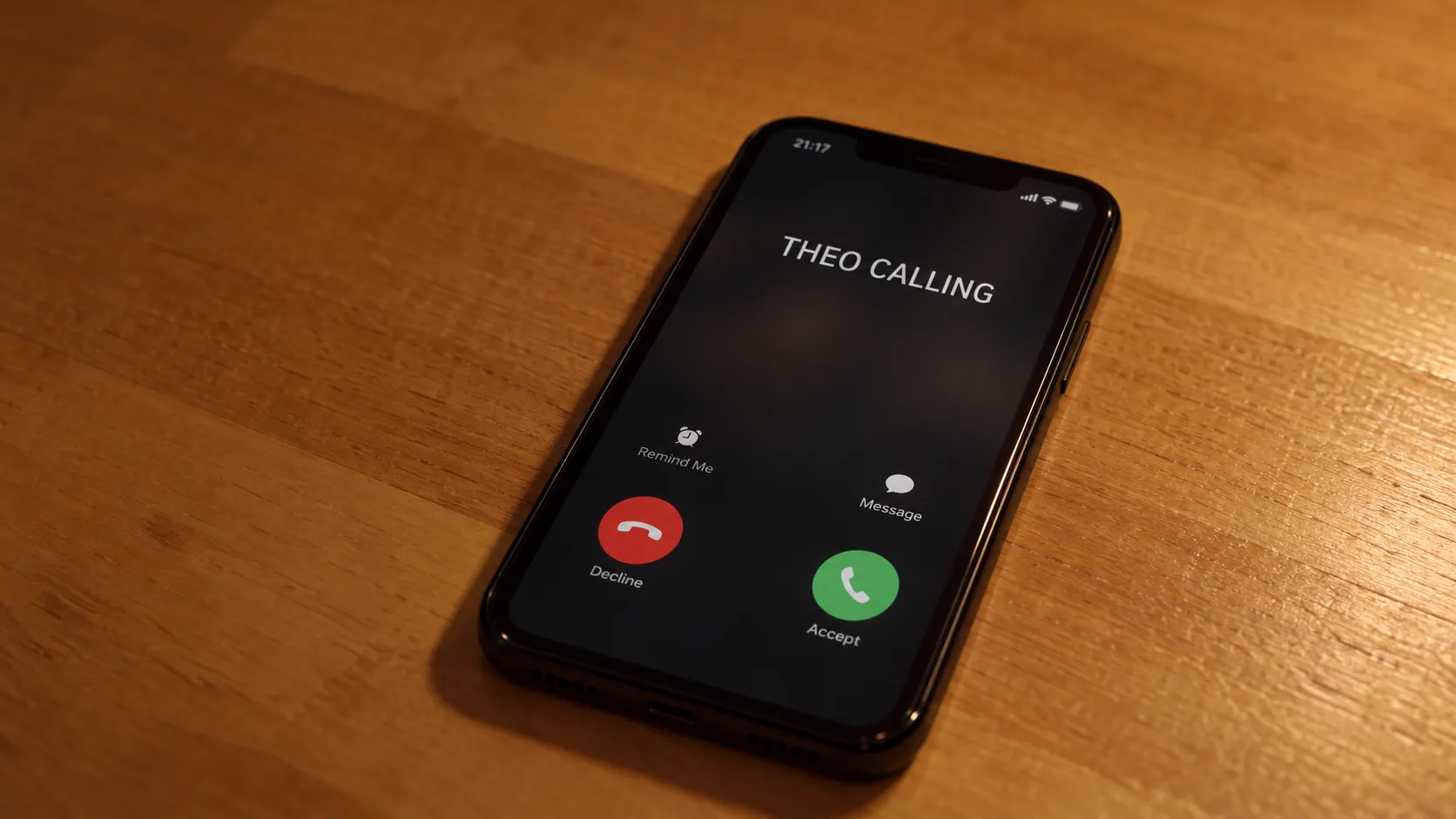
Narrative order and preparation order are not the same list. Shot 1 comes first on screen, but its keyframe needs the kitchen at a level of finished detail — full room geometry — that’s still only inferred and awaiting approval. Shot 6’s keyframe needs only Nadia and the phone, both already resolved, so it can be prepared before shot 1 is, even though it happens much later in the story. Prepare keyframes in the order their dependencies actually clear, not in narrative order.
Defending a cut: the AFI Comprehensive Review#
Program research on AFI’s Conservatory documents a Comprehensive Review: fellows present their own workbook and shot decisions aloud and answer for them, rather than submitting a document that’s only ever read silently. This week’s workshop borrows that format directly: you don’t just hand over a shot list, you say it aloud and defend at least one cut.
Here is a worked cut. An earlier draft of this schedule included an insert of a photograph of young Nadia and Theo, taped to the fridge, meant to explain the estrangement visually. Cut, because week 4’s rule already applies here: no two shots may argue the same thing. The reach-and-stop insert (shot 6) already tells the audience she is holding herself back from someone who matters to her — a photograph restates that same argument in a second shot instead of adding a new one. The schedule is shorter for dropping it, not weaker.
Misconception contrast#
| Treating the storyboard as decoration | Treating it as the production schedule |
|---|---|
| Drawn after the scene is imagined, to illustrate it | Built before any generation, to decide what order things happen in |
| A shot is “in” because it would look good | A shot is in because it argues something no other shot argues |
| Gaps get noticed once something is missing on set | Gaps get noticed by checking every shot’s dependency before scheduling it |
| More shots reads as more complete | Complete means no shot without a stated purpose, in dependency order |
| Two keyframes that match the bible is a finished shot | The movement between them still has to be directed and evaluated on its own terms |
Guided judgement: what’s wrong with this schedule?#
A student’s draft schedule lists, in this order: (1) an insert of the phone ringing, generated first because “it’s the easiest shot to try”; (2) a wide of the kitchen, scheduled after, because the reference for it “will probably be ready by then.” Identify the ordering problem before opening the diagnosis.
Compare your diagnosis
Scheduling by ease or optimism is a wish list’s logic, not a schedule’s. The insert of the phone depends on the phone prop reference exactly as much as any other shot touching it — being quick to attempt doesn’t make it ready. The wide shot is scheduled on a reference that “will probably be ready,” which is a guess about the future, not a locked dependency. Both shots need their references resolved and recorded before they’re scheduled, in whichever order the references actually land — not the order that feels most convenient to attempt.
For the workshop, apply the same test to your own schedule: for every shot, name its keyframe(s), name what each one depends on, and don’t schedule anything ahead of a dependency that isn’t locked yet.
What you take to the workshop#
Bring your complete shot list and storyboard — the whole short, sequenced from the first frame to the last, not one scene of it. The shot list and storyboard template from week 4 extends to as many rows as your full sequence needs. Be ready to name each shot’s keyframe(s) and which bible reference each one needs, not just the schedule’s order.
You leave with a schedule you can present aloud and defend, and one shot you can point to and explain why it didn’t earn its place. Keep it with your locked bible for Assignment 1.
Teaching team
- Idris Fenn — tutor