qBittorrent
A Fast, Free and Ad-Free BitTorrent Client
For Windows, macOS and Linux
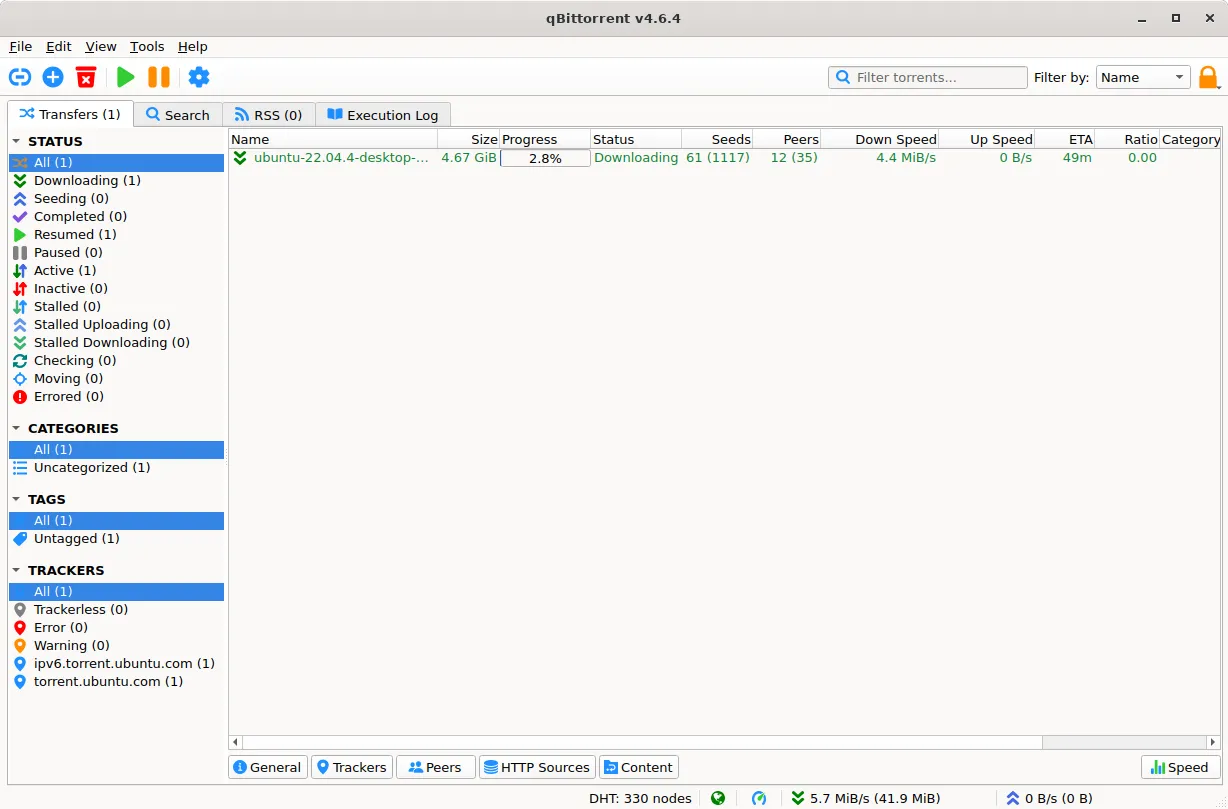
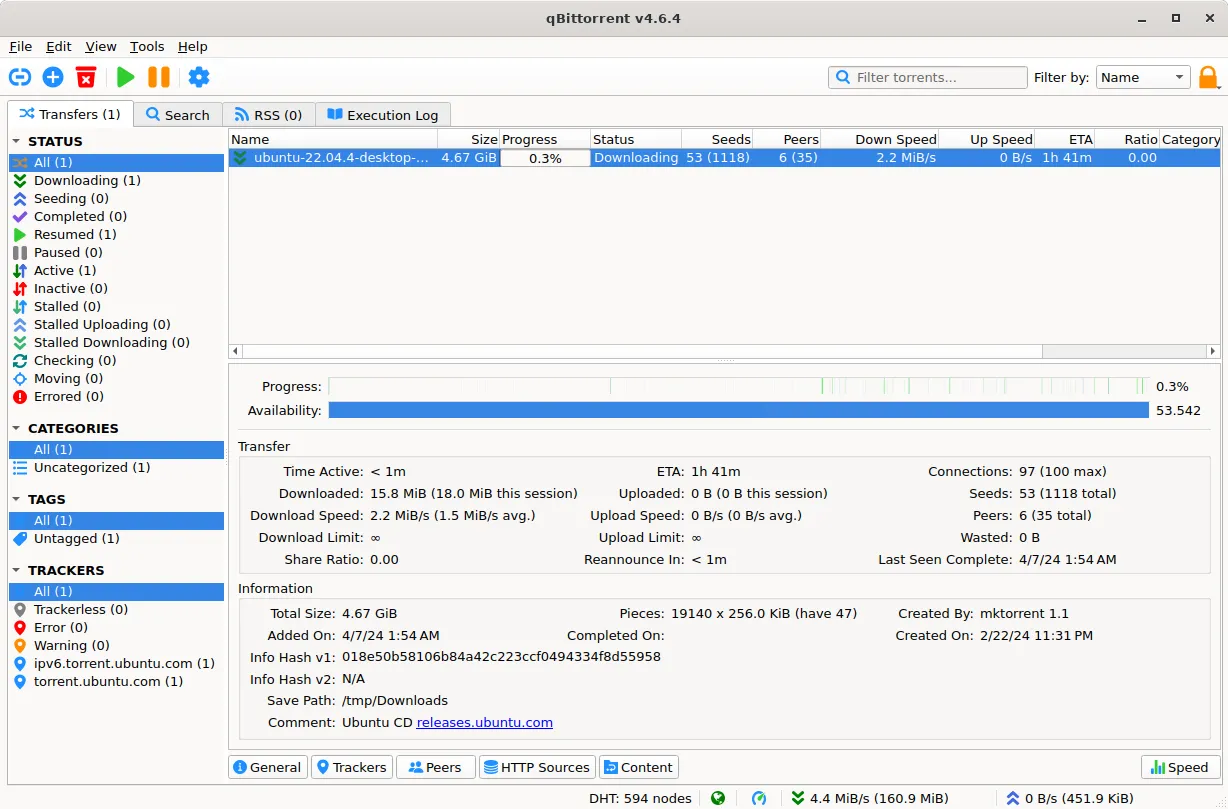
Easy & Powerful
Defaults that work on install, and a detail panel for when they don't. Select a torrent and the pane underneath shows transfer rates, share ratio, piece availability and where the files are going — without opening a dialog.
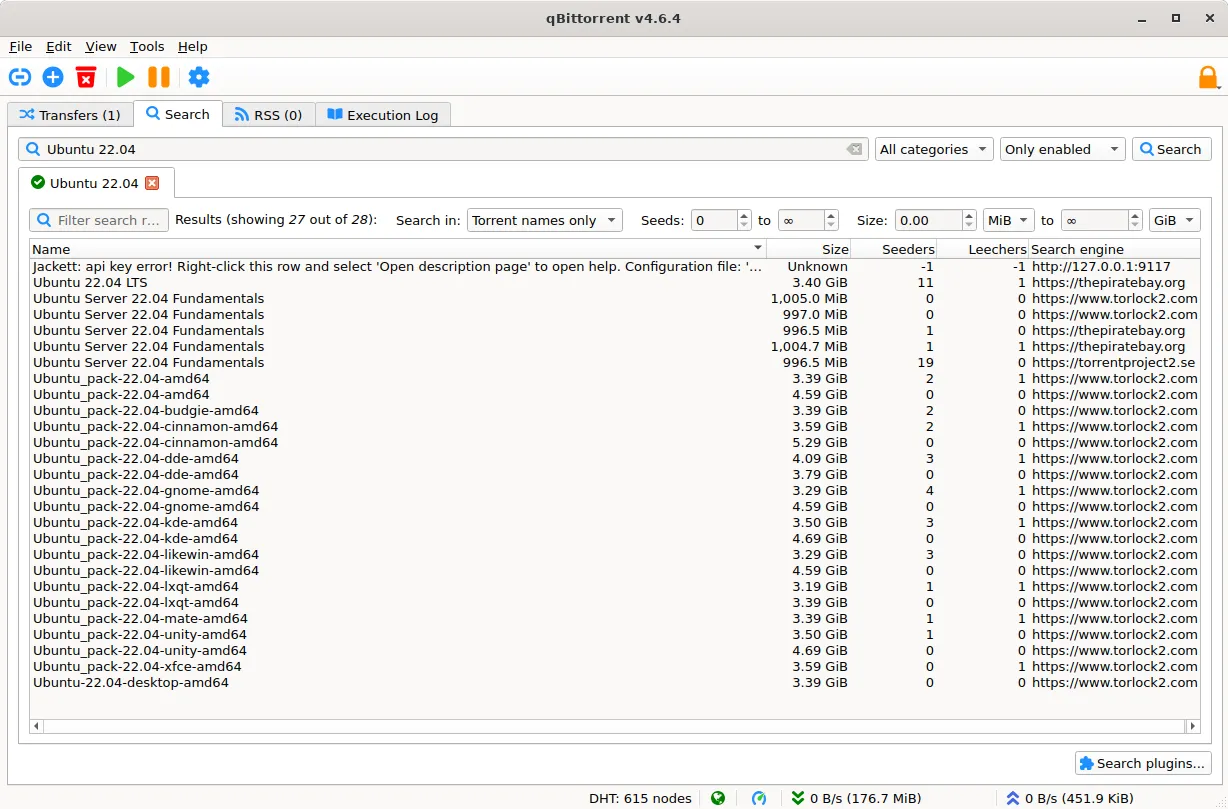
Search Without Leaving
Search plugins query multiple indexes from inside the app and pool the results into one sortable table — name, size, seeders, leechers, and which engine found it. No browser round-trip.
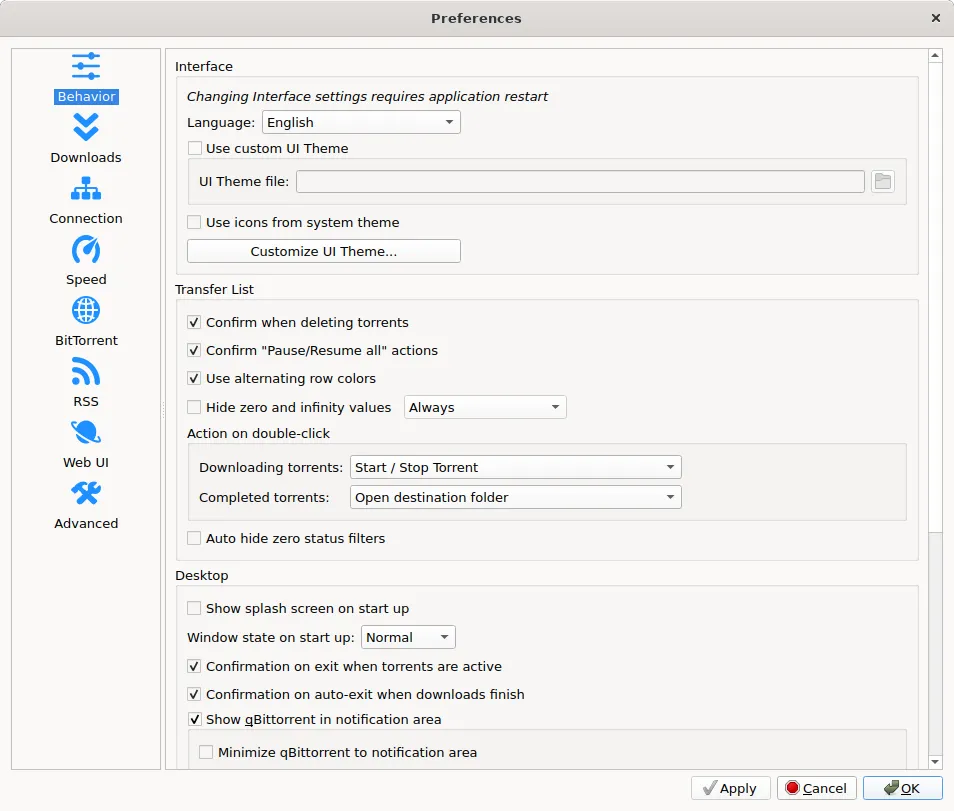
Every Knob, One Dialog
Speed limits, connection behaviour, RSS rules, the WebUI, IP filtering. All of it sits in a single Preferences window with a category list down the side, so nothing is buried three menus deep.
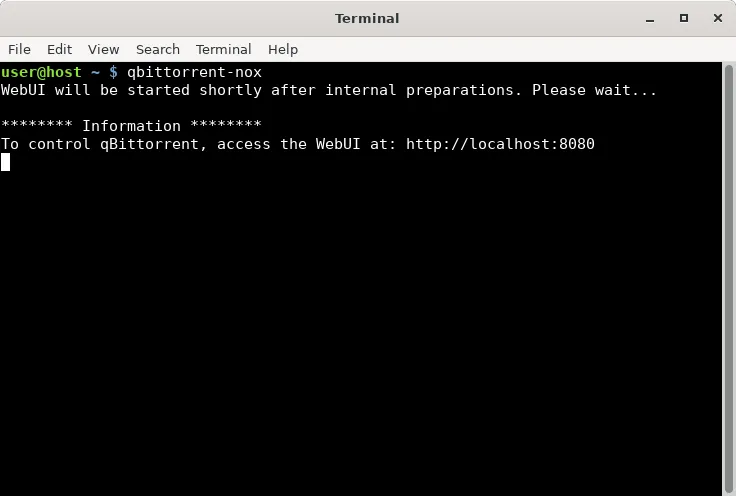
Or No Window At All
The headless build runs as a daemon on a server or a Pi and hands you the same client through a browser. Start it, and it prints the address the WebUI is listening on.
Features
No ads, no bundleware
Nothing to opt out of during install. Nothing tracking you after.
Built-in search
Search plugins query multiple indexes from inside the app.
Remote WebUI
Manage torrents from a browser, on your desktop or your phone.
RSS automation
Subscribe to feeds and auto-download matches while you sleep.
Sequential download
Start watching a file before the whole torrent finishes.
IP filtering
Block ranges you don't trust, per-torrent or globally.
Bandwidth scheduling
Cap upload and download speeds on a timetable, so torrents back off when you're on the network.
Queuing and prioritisation
Set how many torrents run at once and which ones jump the queue.
Per-file selection
Pick which files inside a torrent to actually download.
Magnet links and DHT
Start a download from a magnet link alone, with DHT, PEX and LPD for trackerless peer discovery.
Torrent creator
Build and publish your own .torrent files from inside the app.
Cross-platform
The same client, native, on Windows, macOS and Linux.
Screenshots on this page come from the qBittorrent project's own screenshots page.